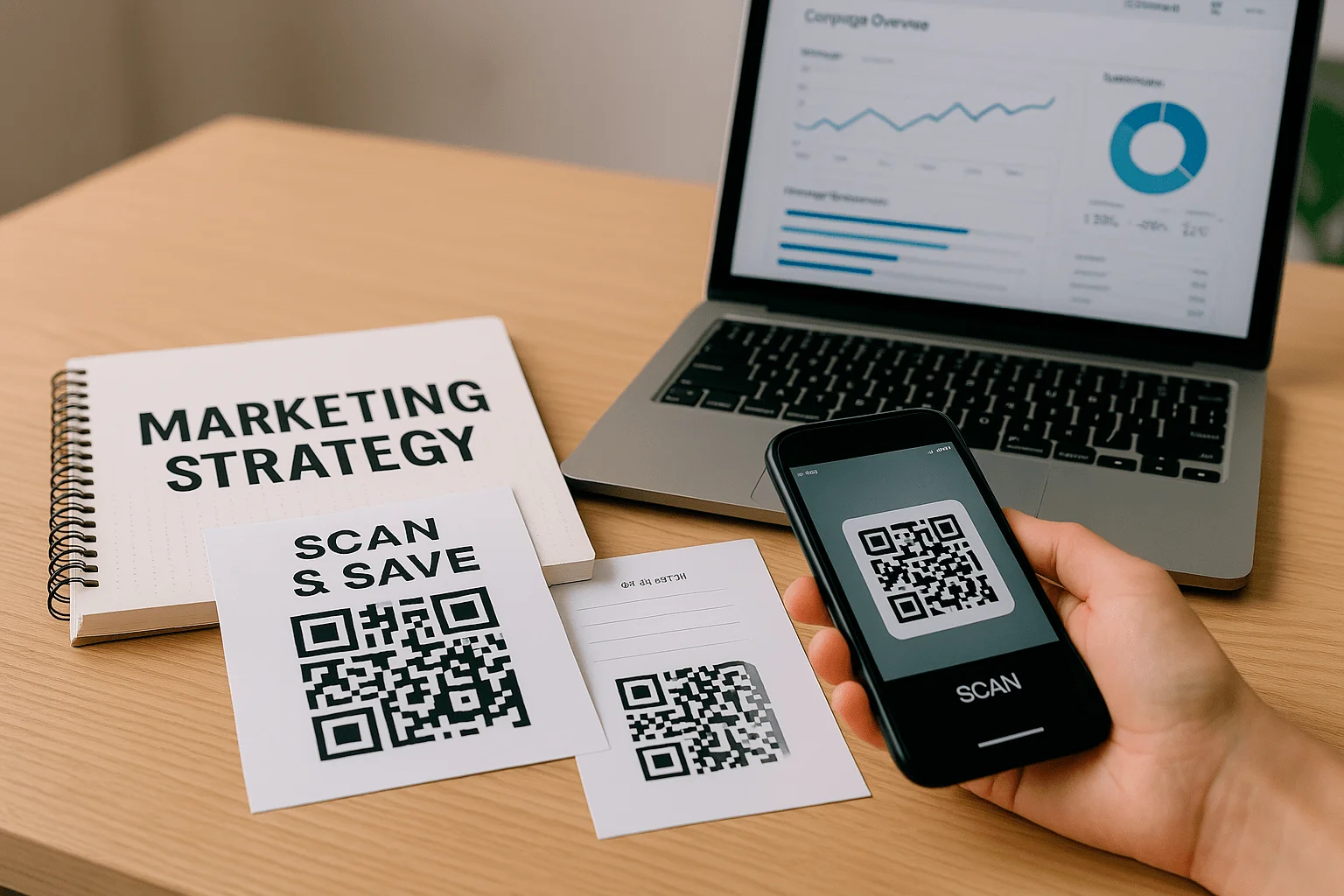
QR Code Marketing: Strategy, Analytics, and Business Examples
Modern marketing teams keep running into the same practical question: how do you shorten the path from first contact to action without losing message quality, trust, or the ability to measure what happened? QR codes answer that challenge well because they connect a physical touchpoint with a digital journey: a person sees an ad, package, menu, or poster, scans the code, and lands directly on the right content.
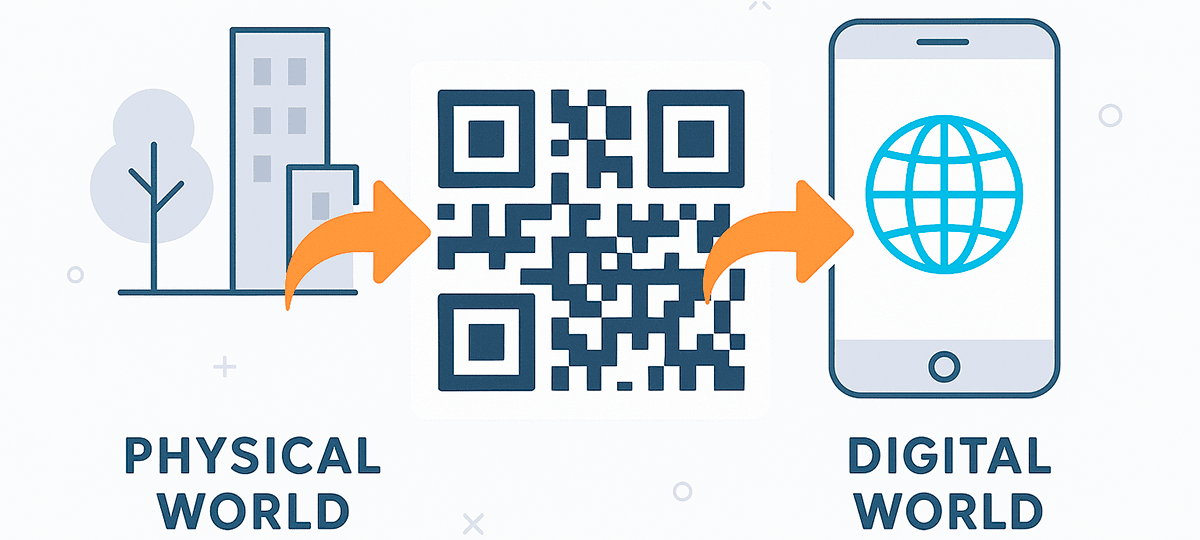
In this article, we look at QR code marketing strategies, their role in audience engagement, and the principles behind a code that does more than "send people to a website" - it supports a specific business goal. We will also cover scan analytics, dynamic QR codes, branding, mobile experience, campaign placement, and the common mistakes that quietly reduce performance.
This is an in-depth practical guide for marketers, business owners, brand managers, and teams that want to use QR codes systematically. Instead of treating a QR code as a small graphic in a layout, we treat it as an entry point into omnichannel communication, an analytics funnel, and a managed customer journey.
Why use QR codes in marketing?
QR codes in marketing campaigns are not just a convenience feature. They shorten the journey from interest to action while keeping analytics, campaign flexibility, and conversion control in the hands of the team. That is why a QR code should be treated as part of the campaign architecture, not as a decorative element added at the end.
A code can be built into almost any medium: print ads, packaging, POS materials, catalogs, email campaigns, presentations, outdoor ads, or digital banners. For a broader look at use cases, see our examples of QR codes in business and the dedicated guide on how to use QR codes in offline advertising.
One scan can take a user to a website, an app, a form, a messenger, or a page with a promotional offer. It removes friction: no manual URL entry, no search query, no need to remember a long address. In marketing, that matters because every extra step between interest and action reduces the likelihood of conversion.
The core strength of QR codes is the combination of user simplicity and business measurability. Customers get instant access to the right content from their phones, while the team can analyze scan volume, interaction time, devices, geography, repeat visits, and follow-up actions on the page. With a dynamic QR code, the destination link can be changed even after a flyer, label, or poster has been printed - without reissuing the materials.
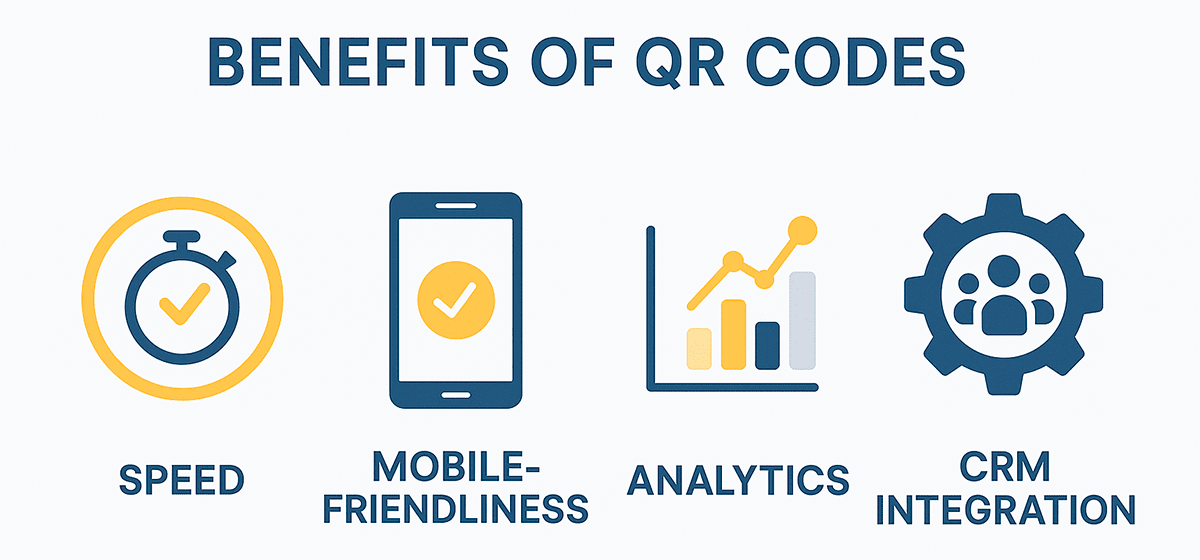
This is why companies use QR code marketing across B2C and B2B: from retail and HoReCa to events, logistics, service instructions, and complex omnichannel campaigns. Wherever an offline touchpoint needs to become an online action quickly, a QR code is often the shortest and clearest path.
Dynamic QR Codes for Business: Capabilities and Analytics
Most companies start working with QR codes through static solutions. These are simple codes where the final link is embedded directly in the QR code and cannot be changed after creation. For basic tasks, that may be enough - for example, when a code should permanently point to one page, document, or contact.
But for businesses that run campaigns, test placements, rotate seasonal offers, and make data-driven decisions, a static approach becomes limiting very quickly. In those cases, dynamic QR codes are the better fit: editable, flexible, and ready to connect with the company's analytics ecosystem.
What is a dynamic QR code and how does it work?
Unlike a static code, a dynamic QR code does not store the final destination as an unchangeable value. It points to an intermediate redirect, which then sends the user to the current landing page. That allows a marketer or campaign owner to change the final URL without creating and printing a new code.
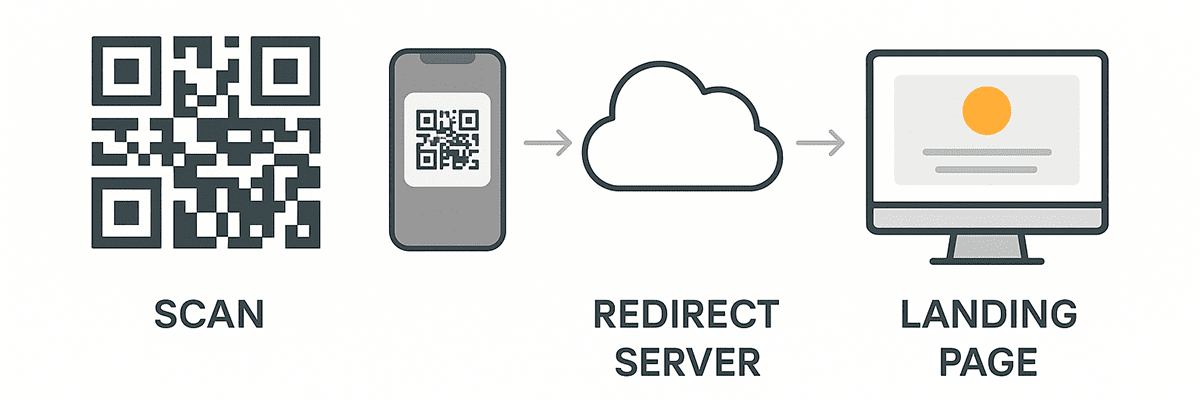
In practice, the same QR code can lead to different pages at different stages of a campaign. It might first open a product presentation, later send users to a registration form, and after the promotion ends point to results or a new offer. For printed materials, this is especially valuable: a URL mistake or campaign change no longer means losing the entire print run.
Key benefits of dynamic QR codes for business
Dynamic QR codes give businesses more control over campaign management: the destination can be updated without replacing the code, and different content variants can be tested with the same audience. They also open the door to real-time analytics: each scan can be recorded with time, geography, device type, browser, language, and repeat interaction data.
Another advantage is personalization. Dynamic settings can support geo-redirects, language-based pages, time-limited access, or multiple CTA tests. Inside a company, dynamic codes are also useful for access control, HR workflows, training materials, logistics, and documentation.
Practical use cases
In a multi-stage marketing campaign, one QR code can support the full user journey: at launch it can introduce the product, during the active phase it can open a registration form or coupon, and after the campaign ends it can point to a recap or a new offer. This is useful for teams that do not want to redesign layouts every time but still need current content.
On product packaging, a dynamic QR code can open different instructions depending on the user's browser language or region. In distribution, it helps identify where products are scanned most often, which regions show stronger interest, and where additional promotional support may be needed. In service workflows, one code can always open the current version of an instruction, checklist, or warranty page without reprinting materials.
Dynamic QR code analytics: turning scans into insight
The biggest strategic advantage of a dynamic code is the ability to connect analytics. Combined with UTM tags, Google Analytics, or CRM systems, a QR code becomes more than an access tool - it becomes a data collection point. For a deeper technical breakdown, read the dedicated article on QR campaign analytics.
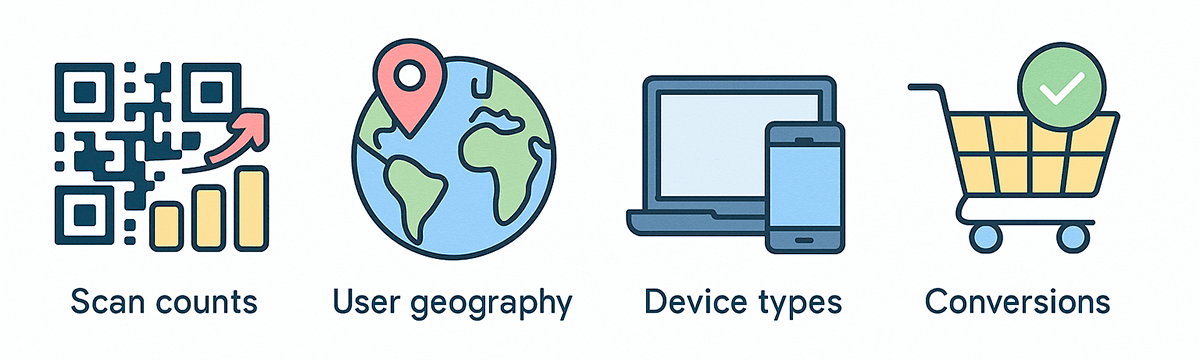
Businesses usually need to see total and unique scans, country or city, device type, peak activity hours, repeat interactions, and conversion after the visit. These data points are not the final answer by themselves, but they show which materials, placements, regions, and offers perform better.
In practice, this makes it possible to compare flyers, packaging, billboards, and POS materials; move budget toward stronger channels; build a full funnel from first scan to purchase or registration; and segment audiences by behavior or geography. In this model, the QR code becomes part of marketing analytics, not just an entry point.
The QR code as a strategic data point
If a QR code is seen only as "quick access to a page", its potential is underestimated. Every scan is a behavioral event that can be measured, analyzed, and used to guide business decisions.
That is why dynamic QR codes are no longer just a convenient format. They are infrastructure for connecting physical environments with digital systems. For data-driven businesses, that means better control over marketing, service, sales, and customer experience.
How to Measure a QR Campaign: Metrics That Matter
Using QR codes in marketing is only half the work. The other half is understanding how to measure the result. Without clear success metrics, a campaign is difficult to scale, optimize, or justify.
Good analytics answers more than "how many people scanned the code." It shows what they did after scanning, whether the experience matched their expectations, and whether they moved closer to a purchase, request, subscription, or another target action.
A QR code is not a click - it is a behavioral signal
Scanning a code is an active user action. The person notices the code, points the camera, waits for recognition, and agrees to continue. That takes more effort than a standard digital click, so performance should not be reduced to scan count alone.
The full chain is broader: first comes the scan, then the visit, then behavior on the landing page, interaction with content, and finally conversion. Repeat scans can also be valuable signals: they may show interest, a return to the material, or a need for more information.
Which metrics really matter?
To evaluate reach, look at unique scans - they show how many different users interacted with the code. Scan time and date reveal activity peaks, while geography shows where the campaign creates the strongest interest.
Device and browser data matter not only for reporting, but also for UX improvements: if most visits come from mobile devices, the landing page must be fast and responsive. Track the drop-off rate as well - the gap between scans and actual actions on the page. For example, if a code is scanned 1,000 times but only 50 users complete the form, the issue may not be the QR code. It may be the offer, the page, or too many steps.
The most important business metric is conversion from QR traffic. That conversion may be a purchase, lead, subscription, booking, file download, or messenger visit. Measure it through analytics goals or events, UTM tags, and, where possible, CRM integration.
How do you connect a QR code with web analytics?
To do more than count "clicks" and actually understand behavior, use UTM tags in dynamic codes, configure goals or events in Google Analytics, and connect CRM where the team needs to see the path from scan to inquiry or purchase. It is better to create separate QR codes for different media, so you can compare POS materials, packaging, flyers, outdoor ads, and other channels against one another.
💡 Tip: use separate QR codes for different channels and materials. This helps identify not only which medium generates more scans, but which one brings higher-quality conversions.
Good analytics is the basis for scaling
If a QR code is used without metrics, the campaign runs blind. Once analytics are connected, the team can adapt pages to user behavior, shift budgets toward stronger placements, prepare clear data-driven reports, and experiment with content, design, and CTA.
The scan is only the beginning. The real value of a QR code appears when it becomes part of an analytics cycle that supports decisions, not just interaction counts.
How to Integrate QR Codes into Advertising Campaigns
QR codes are convenient, but their marketing value shows up fully only when they are part of a planned advertising campaign, not a random element in the layout. For the integration to work, the team needs to understand not only where the code will appear, but why it is there, who it is for, and what should happen after the scan.
The role of a QR code in an advertising environment
Unlike many classic channels, a QR code can turn offline attention into online action without manual address entry, brand search, or extra steps. It acts as a short path to a landing page, promotional offer, form, video, catalog, menu, or digital service.
For example, a user sees a flyer, scans the QR code, and lands on a coupon page, video instruction, or feedback form. When that transition fits the context of the ad, the chance of action increases because the person understands why scanning is useful.
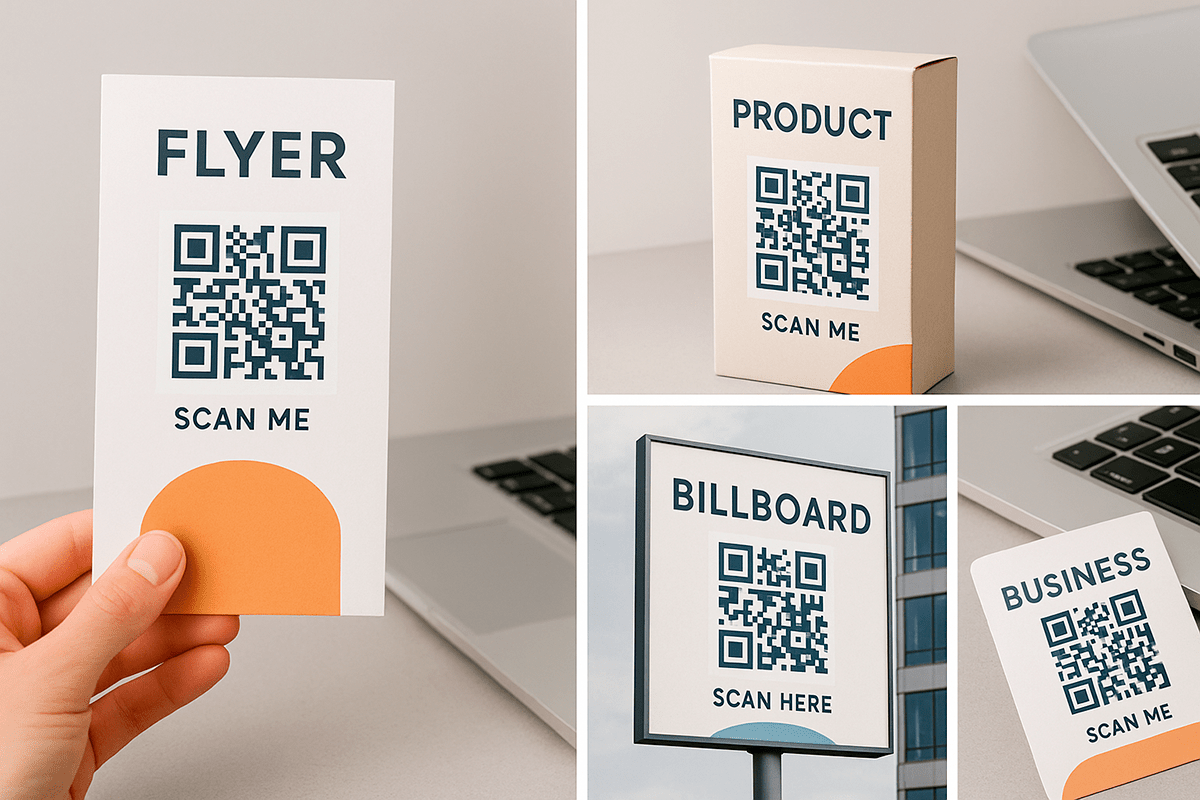
Key QR code placements in advertising campaigns
Product packaging turns every item into a digital touchpoint: the code can open instructions, a support page, a feedback form, warranty information, or a repeat-purchase offer. Flyers, catalogs, and POS materials shorten the path from information to action because users do not have to search for the product manually or remember the website address.
In outdoor advertising, QR codes work only when they can be scanned safely and comfortably. For billboards, lightboxes, and transport ads, size, contrast, a short CTA, and a realistic interaction scenario are critical. Print magazines, leaflets, and direct mail also gain a digital extension: a QR code can move a reader from a printed message to a video, catalog, form, or current offer page.
What to consider when adding a QR code to a campaign
First, the code needs clear action context. Users should know exactly what they will get after scanning: a coupon, video, consultation, menu, instruction, PDF, or registration access. Phrases such as "Get the coupon", "Watch the video", or "Book a consultation" reduce hesitation and make scanning more intentional.
The second principle is media segmentation. It is better to create separate dynamic QR codes for flyers, billboards, packaging, catalogs, and POS materials. That way, you can see which placements generate more interactions and conversions instead of getting one scan total with no source context.
The third principle is alignment between promise and page. If the ad says "Scan to get a discount", the code should not lead to the homepage. It should open a page where the discount is immediately clear and available. The code design should also support the visual identity: a branded QR code feels more natural in the layout and builds more trust in the transition.
Examples of effective integrations
In a promotion, a code on a sticker or package can open a purchase registration page where the customer activates a bonus or enters a giveaway. In outdoor ads, a QR code can open a product video, a short presentation, or a page with the current promotion. In a print publication, it can lead to a Telegram channel, Instagram page, subscription form, or contest page.
For products that require explanation, a QR code works well directly on the label or in the manual. Instead of a long printed text, the user gets a mobile page with a video, PDF, or interactive guide. In these scenarios, the code does more than attract traffic - it improves the post-purchase service experience.
A QR code in an ad system: an interaction tool, not an afterthought
A common mistake is adding a QR code "just in case" without tying it to a specific action or result. In that situation, scan volume is usually low and the business value is hard to measure. A code that fits the ad message, leads to a relevant page, has separate analytics, and includes a clear CTA becomes a real acquisition channel.
The main advantage of this approach is control. You can change the page, test offers, compare media, and optimize placement based on data instead of intuition.
QR Codes as Part of an Omnichannel Strategy
In an age of fragmented digital behavior, users interact with brands across many channels: websites, social networks, email, messengers, mobile apps, physical stores, events, packaging, and offline ads. That creates a growing need for one connected experience where every touchpoint continues the previous one instead of standing alone.
In this context, QR codes are more than access tools. They become bridge elements in an omnichannel strategy. They move a person from an offline environment into a digital scenario and preserve interaction data for future communication.
The QR code as an entry point into multichannel interaction
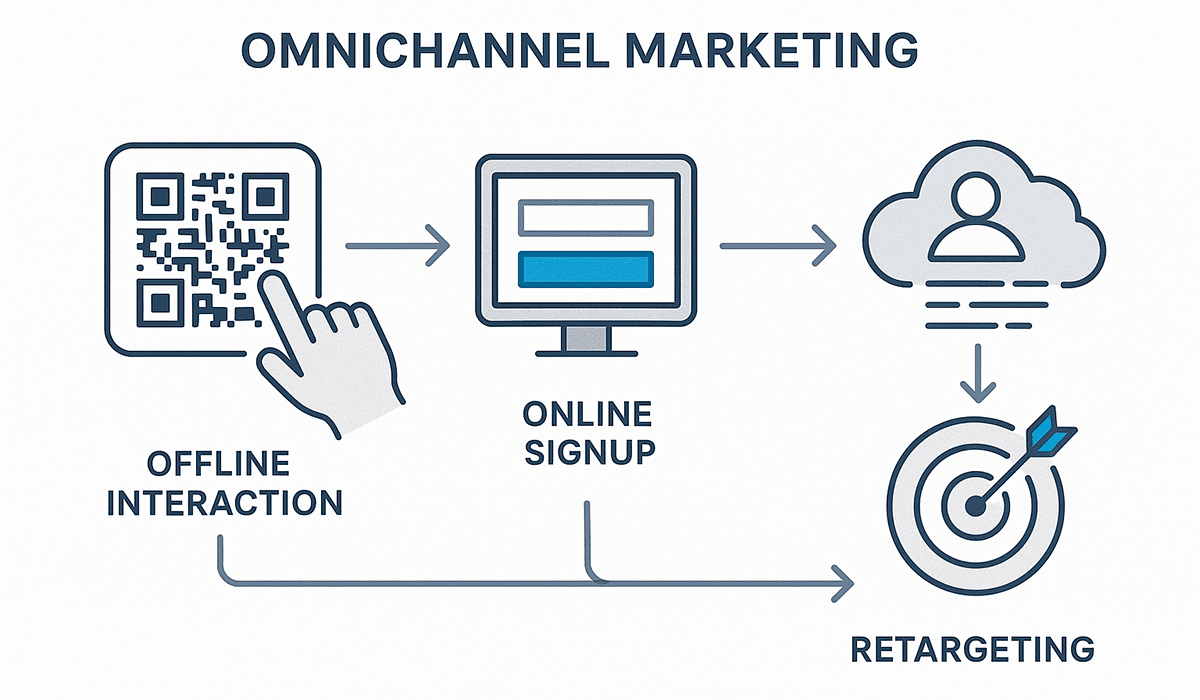
One QR code can start an entire chain of personalized communication. For example, a user scans a code on packaging or a flyer, opens a mobile subscription offer, leaves contact details, enters an email flow, or gets access to a Telegram bot. Their later actions can then be recorded in CRM and analytics systems for segmentation, remarketing, or service support.
In this scenario, the QR code is the starting point, not the final action. With analytics integration and dynamic capabilities, brands can adapt content, segment audiences, and build full funnels without unnecessary barriers.
Common omnichannel use cases
The simplest scenario is offline to online: a QR code on a poster, package, or flyer leads to a mobile form with UTM tags, after which the user receives a personal offer by email or messenger. The reverse scenario works as well: after online registration, a user can receive a QR code as an event pass, store coupon, or digital ticket.
In more complex communication, a QR code becomes part of the CRM chain: the scan creates a lead, the lead becomes a contact, and later actions trigger remarketing through email, SMS, messengers, or ad audiences. This approach is especially useful for events, retail, educational products, service companies, and B2B sales.
Why are QR codes so effective in an omnichannel model?
QR codes shorten the move between channels: users do not need to type an address, search for a brand, or manually open the right service. They also collect behavioral data at touchpoints that are usually hard to measure: events, print ads, packaging, physical stores, and outdoor media.
Combined with email marketing, messengers, CRM, and analytics, QR codes become a strategic channel integration point rather than a supporting element. That is how they should be planned in long-term marketing activity: not as a separate tool, but as part of a connected customer experience.
QR Code Design and Personalization: Strengthening Your Brand
Modern marketing is not only about function; it is also about visual alignment with the brand. That is why QR code design becomes part of the communication strategy: the code should scan reliably, fit naturally into the layout, build trust, and support the campaign's visual style.
A branded QR code with a logo, brand colors, frame, or CTA is often perceived better than a standard black-and-white square. You can see examples of this approach in the separate article on branded QR codes.
QR code personalization is a way to make even a technical element part of the visual identity. It affects not only aesthetics, but also user trust: familiar colors, a logo, and a clear label help people decide to scan faster.
What can be customized in a branded QR code?
In a branded QR code, you can customize brand colors, dot and corner shapes, a central logo, a labeled frame, CTA text, and reusable templates for different campaigns. At the same time, design must not hurt readability: contrast, the quiet zone around the code, and correct size remain more important than decoration.
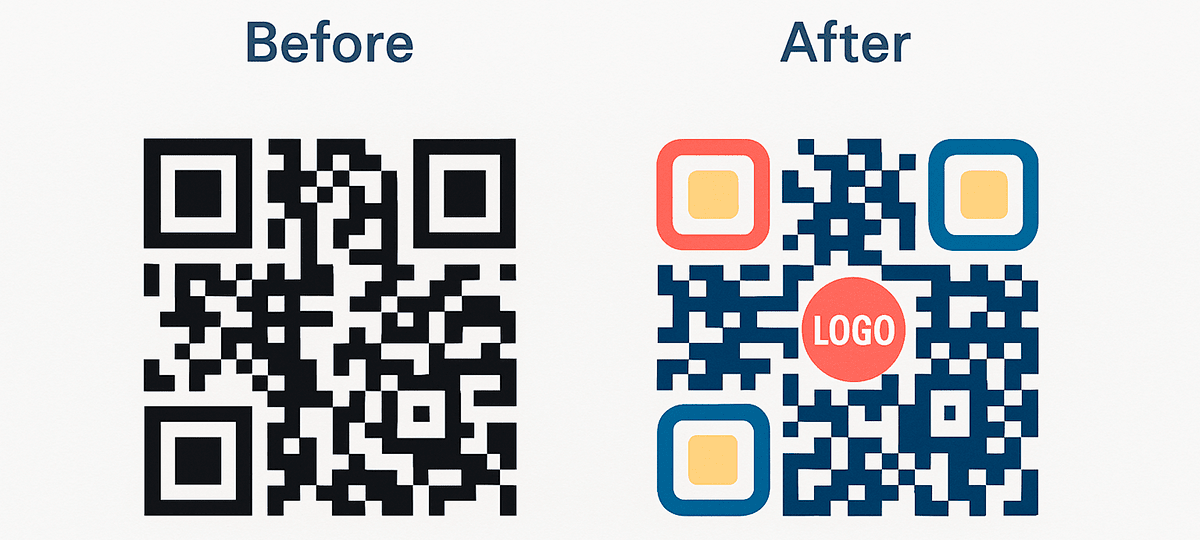
In practice, QR code design for a brand affects not only the look of the layout, but also the user's willingness to interact. When the code feels integrated into the advertising concept, people do not see it as a foreign element. They see it as a natural continuation of the message.
💡 Tip: add short text near the code: "Get a discount", "Watch the video", "Register", or "Open the menu". A clear promise is often more important than the mere presence of a QR code.
Personalization is not just about style. It is about trust, identity, and willingness to interact. That is why a branded QR code should be treated as an important part of integrated marketing communication, not as a decorative option at the end of the design process.
How to Create an Effective QR Code: Technical and UX Tips
A QR code is not just an image that can be placed on a flyer, label, or poster. For it to actually work and support marketing goals, technical, visual, and behavioral factors all matter. QR code performance depends not only on where it leads, but also on how easily, quickly, and smoothly a user can interact with it.
In this section, we cover the rules for creating an effective QR code by combining UX design, ergonomics, mobile convenience, and marketing intent.
1. Contrast and colors: technical scannability
A QR code must have enough contrast against its background. This is a basic requirement that directly affects readability by smartphone cameras. The most reliable combination is a dark code on a light background. Color options are possible, but only when contrast does not reduce scan reliability.
Avoid light codes on dark backgrounds, overly complex gradients, or combinations of similar tones. Even if such a design looks good in a mockup, it can create camera problems, especially with poor lighting, glare, or printing on textured surfaces.
2. Size: at least 3 x 3 cm for print materials
If a QR code is too small, it becomes hard to scan. The minimum recommended print size is 30 x 30 mm, or 3 x 3 cm. For most marketing materials, 4-5 cm is safer, especially when the code appears on a storefront, poster, package, or another medium scanned from more than arm's length.
For screens, presentations, and digital signage, account for scaling, viewer distance, and viewing angle. Always test the code in real conditions before launch, not only inside a designer's mockup.
3. Logical structure: a simple user path
One key UX principle is that the user should understand what will happen after scanning. That is why it helps to add a short explanation near the code: "Scan to get the PDF", "Learn more", "Watch the product video", or "Open the menu". This label reduces uncertainty and increases motivation to interact.
It is even better when the CTA is built into the frame or design of the QR code itself. In services such as FbFast, this makes it possible to combine function and branded appearance without adding unnecessary layout elements.
4. Landing page: fast, mobile, and focused
Where the code leads is just as important. If the page loads slowly, is not mobile-friendly, or requires extra steps such as registration, confirmation, or complex navigation, the user may close it before completing the target action. In that case, the problem is not the QR code itself, but the entire post-scan scenario.
Lightweight mobile pages, short landing pages, clear forms, and instantly available content work best. UTM tags should be added in advance, but avoid overcomplicating the URL or using suspicious shorteners that may reduce trust or trigger blocking. Always test the page on iOS and Android, in Chrome and Safari.
5. Pre-launch testing before print or rollout
Before printing a large batch or launching an advertising campaign, test the QR code on several devices, in different lighting conditions, and from different distances. Make sure the code scans reliably, the page opens in a mobile browser, language and content display correctly, and all forms, buttons, and interactive elements work without errors.
This is especially important for printed materials. A mistake that is easy to fix during testing can cost a print run, budget, and audience trust after production.
6. Visual motivation to interact: the role of CTA
Calls to action are not just text; they are part of the interaction design. A frame with "Scan", "Open", "Watch video", "Get a discount", or "Open menu" helps people quickly understand the value of the action.
Without a CTA, many users simply do not know what to expect after scanning. The result is low interaction even when the code works correctly from a technical standpoint.
💡 Tip: add a fallback URL under the code in a short, readable format. This gives users an alternative path if the camera fails or the code does not scan.
Creating an effective QR code is a combination of technical discipline, understanding user scenarios, and applying marketing logic. Even a strong idea loses value when execution is flawed. Test, check, analyze, and adapt the code to real-world usage conditions.
Mobile Marketing and QR Codes: What to Consider
Modern marketing is impossible to separate from the mobile context. Most QR code interactions happen on smartphones: users scan a code and expect access to content here and now. That is why QR should be treated as part of a mobile marketing strategy, not as a standalone tool.
QR code performance depends directly on how well the mobile scenario after scanning is designed. If the user lands on a heavy desktop page, cannot see the needed information, or must complete unnecessary steps, the campaign loses a large share of its potential.
1. Mobile optimization is not optional
After scanning, the code opens a page in the smartphone browser. That page must be responsive, fast, clear, and not overloaded. The user should immediately see the main headline, the promised action, and the button or information they scanned for.
Avoid requiring login, CAPTCHA, extra permissions, or long registration during the first interaction. For many tasks, a mobile landing page, micro-page, form, or app page integration is enough. If your goal is app install or opening an application, see QR code creation for mobile apps.
2. Behavior patterns: what the user expects
A person who scans a QR code expects an immediate result. If it is a menu, it should open at once. If it is a promo code, it should not be hidden at the bottom of the page. If it is a form, it should be easy to complete with one thumb.
The mobile experience should be linear: no unnecessary pop-ups, aggressive redirects, irrelevant banners, or complex navigation. Every extra step after scanning reduces the chance of completion.
3. Mobile analytics: what to track after the scan
QR traffic should be integrated into web analytics so the team can see not only the visit itself, but also user behavior afterward. Use UTM tags, segment traffic by medium, and track interaction time, scroll or view depth, CTA clicks, and conversions specifically from mobile devices.
If the page includes video, interactive elements, a form, or payment, test correct behavior on iOS and Android. Mobile analytics helps identify where users stop and remove barriers in time.
4. Where to place QR codes for mobile scanning
The success of QR communication often depends not only on the code itself, but also on where it is placed. For mobile scenarios, strong placements include handouts, product packaging, labels, eye-level posters, menus, badges, presentation slides, and point-of-sale displays.
The user must be able to scan the code comfortably in the physical environment. Placement that is too high or too low, small size, glare, a complex background, or no free space around the code can reduce interaction even when the offer is strong.
5. Does a QR code need a mobile site?
Short answer: yes. The absence of a mobile version of the landing page is not just a technical weakness; it is a real threat to conversion. Even if the page is not a core SEO page, it still needs to be convenient for mobile users.
If you do not have resources for a full mobile site, you can create a dedicated QR landing page in a service that lets you configure the structure without code, such as FbFast. The key is not to send users after a scan to a page that does not match their expectation or is not adapted for smartphones.
💡 Tip: test not only the QR code itself, but the full interaction sequence on several smartphone types: a compact iPhone, a mid-range Android device, and a budget device. This helps reveal bottlenecks and improve accessibility.
QR codes are a mobile interface. That perspective should guide their creation, design, placement, and analytics. The business task is to make this interface clear, convenient, and fast. That is where the real effectiveness of mobile QR code marketing comes from.
Business Examples of QR Code Use
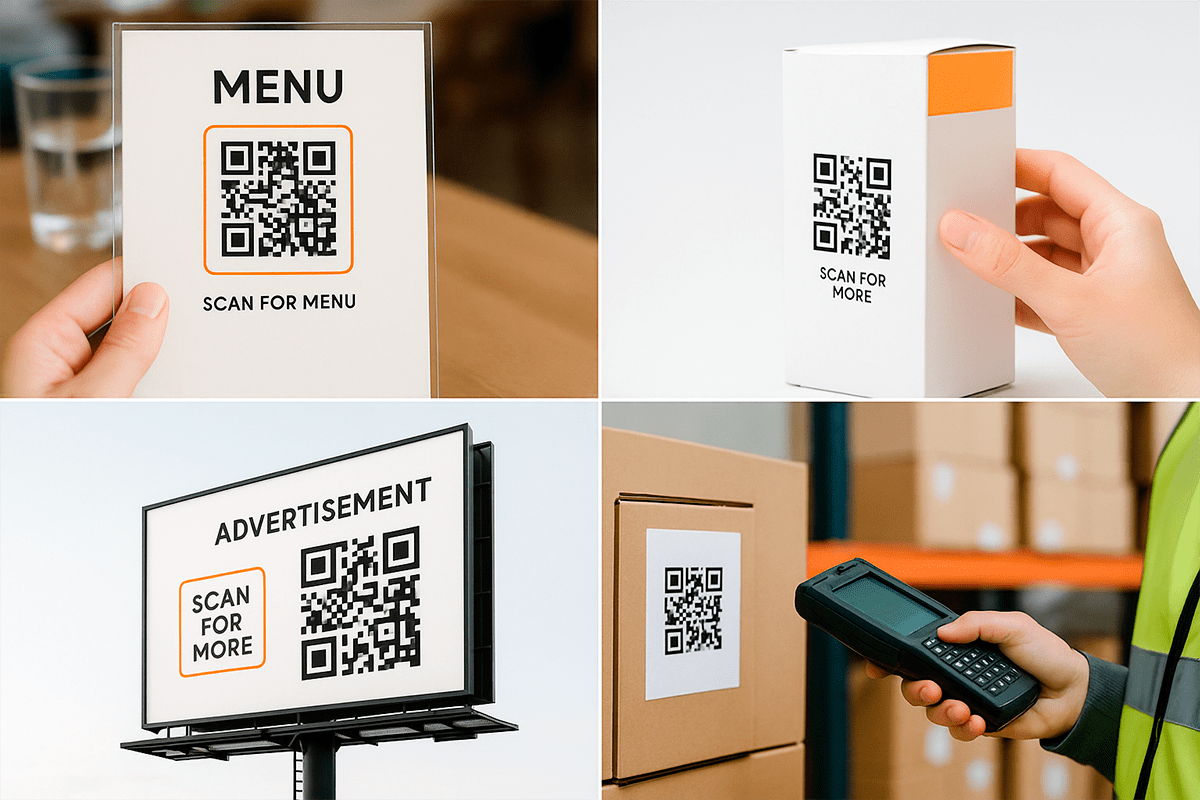
One of the best ways to understand the potential of the technology is to see it in action. QR codes in business have moved far beyond the simple "go to a website" scenario and have become tools for analytics, conversion, automation, and better customer experience.
In this section, we look at practical scenarios where QR codes show the most value: retail, HoReCa, logistics, marketing, education, events, and analytics-connected workflows.
Retail and eCommerce
In retail, a QR code on packaging can lead to a product page, video instruction, warranty information, or feedback form. This helps not only inform the customer, but also collect feedback at the moment of real product use.
A QR code at checkout can activate a discount, bonus, or loyalty program subscription without physical cards. A storefront with a QR code keeps selling even when the shop is closed: the user scans the code and opens an online catalog or a specific product collection.
HoReCa: restaurants, cafes, and hotels
In restaurants and cafes, QR menus have become one of the most common scenarios: a guest scans a code on a table or counter and opens a responsive online menu. This is convenient for guests, reduces staff workload, and makes it easy to update prices, items, or seasonal offers.
In hotels, QR codes can lead to service booking, room information, house rules, a property map, or a feedback form. After service, a feedback code helps collect a rating without complex authorization or website search.
Logistics and manufacturing
In logistics, a QR code on a box, pallet, or batch can open a specification, route sheet, or internal tracking system. Employees get accurate information without paper documentation, while the company gains better control over product movement.
In manufacturing, QR codes are convenient for access to technical documentation, checklists, maintenance instructions, or quality control materials. Each scan can record a process stage and create a transparent chain of accountability.
Marketing and offline advertising
In marketing, QR codes help make offline advertising measurable. A code on a billboard, vehicle, poster, or flyer can lead to a promo page, video review, TikTok, campaign entry form, or personalized offer page.
At events, a QR code can activate a discount, giveaway entry, access to materials, or registration. In referral programs, each participant can receive a personal QR code to share, while the business gets analytics on referred customers.
Education, events, and exhibitions
In education, QR codes simplify access to materials: slides, PDFs, video lessons, tests, or additional sources. At events, they speed up registration, reduce queues, and collect attendee contacts without paper forms.
At exhibitions, a QR code near a booth can open a catalog, presentation, price list, request form, or manager contact page. This is especially useful when a visitor is not ready to speak with a representative immediately but wants to save information for a later decision.
Examples with connected analytics
When analytics are connected to QR codes, a business can compare the performance of different media: POS materials, flyers, packaging, billboards, or stands. Separate codes for each placement show what works better instead of only counting total scans.
Scan geography analysis helps plan distribution and regional campaigns, while UTM tags in dynamic codes make it possible to track the path from offline advertising to a website purchase. In this scenario, the QR code becomes part of a measurable funnel rather than a separate marketing experiment.
These examples show that a QR code is not a separate element, but part of a system. Its full value appears only when it is integrated into business processes, customer interaction, and results analytics. Most importantly, it scales: you can start with one scenario, measure the outcome, and gradually expand where it creates real value.
Conclusion: How to Use QR Codes Strategically
Using QR codes in marketing is no longer an innovation. It is a practical standard that affects the convenience, speed, and performance of communication between a brand and a customer. Real effectiveness begins when the code is integrated into the overall campaign logic: from design and placement to scan analytics, mobile optimization, and follow-up communication.
When this tool is treated as a full marketing link rather than a formality, QR codes help measure offline interaction, create a smooth transition between print media and online activity, adapt campaigns in real time through dynamic links, and strengthen trust through thoughtful design.
QR codes are not only about technology. They are about experience. They help make the user's path from interest to action logical, fast, and comfortable. That is why technical quality, a clear CTA, a mobile page, analytics, and branded design should work together. You can read more about the role of personalization in the article on the benefits of personalized QR codes for brands.
If you are planning a QR campaign, start with one simple question: what action should the user take after scanning, and how will you know that it happened? The answer will help you choose the right QR code type, page, CTA, placement, and metrics.
For a deeper technical breakdown of UTM tags, analytics charts, and QR campaign optimization, see the dedicated article "How to Track QR Code Effectiveness: Analytics, Charts, and UTM Tags". If you are only preparing to launch, use this article as a checklist: does your QR code have a clear goal, a mobile page, measurability, and real value for the user?