

Cryptocurrency QR Code Generator Online
A cryptocurrency QR code turns your wallet address into a scannable payment code. Instead of asking someone to copy a long string of characters or type it by hand, you give them a code their mobile wallet can read in seconds.
Its main value is accuracy. Blockchain transactions are usually irreversible: if funds are sent to the wrong address because of a single mistyped character, they cannot simply be recalled. A QR code reduces that risk by letting the payer scan the details instead of entering the wallet address character by character.
You can also include a payment amount in the code. That turns the QR code into a ready-to-scan payment request, useful for invoices, fixed-price payments, donations, or any case where the payer should send a specific amount in the selected cryptocurrency.
One generator for several cryptocurrencies
The form is not limited to Bitcoin. You can create QR codes for several popular cryptocurrencies, including Bitcoin, Bitcoin Cash, Ether, and Dash. This is useful when you accept different types of crypto payments and want to give payers a clear way to send funds without copying a long address manually.
The flow is the same: choose the cryptocurrency, paste the public wallet address, add an amount if needed, and generate the QR code. After scanning, the payer's wallet reads the payment details and fills them into the transfer screen.
Make sure the address matches the cryptocurrency selected in the form. A Bitcoin QR code should point to a Bitcoin address, Bitcoin Cash to a Bitcoin Cash address, Ether to an Ethereum address, and Dash to a Dash address. This keeps the payment details clear and lowers the risk of sending funds on the wrong network.
Benefits of a cryptocurrency QR code
Less room for address mistakes
The QR code passes the long wallet address without manual typing.
Faster payment entry
After scanning, the wallet can fill in the address, amount, and message automatically.
Works online and in print
Add the code to a website, invoice, banner, menu, sign, or simply show it on a screen.
Acts as a static payment instruction
Once created, the QR code stores the payment details directly without relying on an intermediate redirect.
Avoids clipboard-based address copying
Camera scanning reduces exposure to address replacement during copy-and-paste workflows.
Can include an amount and payment note
This helps with invoices, fixed payments, and clearer transaction identification.
Does not need the internet just to scan
The encoded details can be read offline. A connection is needed later to broadcast the transaction to the blockchain network.
Where you can use it
Accepting payments in physical locations
Place the QR code near the checkout, on a counter sign, in a menu, or on printed materials. The customer scans it, checks the address and amount in their wallet, and confirms the transfer.
Donations and fundraising
A cryptocurrency QR code works well on websites, banners, streams, or informational materials. A person can scan the code and make a transfer without copying the address manually.
Invoices and B2B payments
Freelancers, contractors, and businesses can add a QR code to digital or printed invoices. If the amount is included in the code, the client does not need to enter it manually.
In-person P2P transfers
One person shows their wallet QR code on screen, while the other scans it and sends funds. It is a practical way to share an address quickly without messaging apps or copy-and-paste.
Offline materials
A static QR code can be used on posters, flyers, signs, or printed documents. It contains the payment data itself, so it does not depend on an intermediate link.
Reducing copy errors
Scanning avoids manual entry of long addresses and reduces reliance on the clipboard, which can be exposed to address replacement by malicious software.
Important notes
The QR code does not confirm a transaction automatically
Scanning only transfers the payment details into the wallet. The sender still needs to check the address, amount, network, and confirm the transaction manually.
Static QR codes are better suited to crypto payment details
A static code stores the address and payment data directly in the QR matrix. Dynamic codes that rely on an intermediate link may add risk if the redirect server is changed, blocked, or compromised.
You cannot edit the address or amount after creating a static code
If you need a different address, amount, or message, create a new QR code. This is expected behavior for static codes.
Always test the QR code before publishing it
Before adding the code to a website, printing it, or sending it to customers, scan it with your own wallet and compare the address with the original. This matters for cryptocurrency payments because blockchain transfers are usually irreversible.
Use the correct network
A QR code cannot always prevent someone from choosing the wrong blockchain network. It is a good practice to label the code with the cryptocurrency or network it is meant for.
Use a dot, not a comma, for decimal amounts
In Bitcoin payment URIs, the decimal separator should be a dot. For example, use 0.05 instead of 0,05.
More about cryptocurrency QR codes
A cryptocurrency QR code should be more than a convenient way to show an address; it should behave like a predictable payment instruction. That is why static encoding matters: the address, amount, and any added details are written directly into the QR code instead of passing through an intermediate link. This reduces reliance on third-party redirects and makes the code suitable for longer-term use on websites, invoices, signs, and printed materials.
Scanning the QR code does not send the payment automatically. It only passes the encoded details into the payer's cryptocurrency wallet. The user still needs to review the address, amount, cryptocurrency, and network before confirming the transaction. This is important because blockchain transfers are usually irreversible, and funds sent to the wrong place cannot be recovered by simply cancelling the payment.
Pay close attention to the network. A Bitcoin QR code should use a Bitcoin address, a Bitcoin Cash QR code should use a Bitcoin Cash address, Ether should use an Ethereum address, and Dash should use a Dash address. One QR code should not be treated as a universal payment detail for multiple cryptocurrencies, even if the scanning flow looks similar.
To create this type of QR code, you only need the public wallet address. You do not need to enter a private key, seed phrase, wallet password, or any data that can access funds. If a form asks for secret wallet data instead of a public address, treat that as unsafe and do not use it for creating a payment code.
Before publishing a QR code, check it with the same care you would apply to bank details on an invoice. Scan it with your own wallet, verify the full address, check the amount if one was added, and make sure the cryptocurrency label near the code is correct. This takes only a short moment, but it can prevent expensive mistakes in real payments.
Generated locally in your browser
Your QR code is created directly in the browser on your device. The wallet address you enter does not need to be processed on a server or used as part of an intermediate link.
To generate the code, you only need a public wallet address and, optionally, extra payment details such as an amount, label, or message. The tool does not ask for a private key, seed phrase, wallet password, or any data that can give access to funds.
Once generated, the QR code contains static payment information. Before publishing, printing, or sending it, scan the code with your own wallet and compare the address with the original.
Bitcoin address formats you can use
The generator can be used with the main Bitcoin address formats supported by modern wallets. Enter the public wallet address, and the tool turns it into a QR code that can be scanned to fill in payment details faster.
| Address format | Usually starts with | What it means |
|---|---|---|
| Legacy | `1` | An older Bitcoin address format that is still supported by many wallets. |
| P2SH | `3` | A format often used for compatibility across different types of Bitcoin transactions. |
| SegWit | `bc1q` | A modern address format designed for more efficient Bitcoin transactions. |
| Taproot | `bc1p` | A newer Bitcoin address format associated with Taproot support. |
After creating the QR code, scan it with your wallet and verify the full address. Do not check only the first and last characters: in cryptocurrency transfers, every character matters.
Frequently Asked Questions
Does a cryptocurrency QR code expire?
No. A static QR code does not have its own expiration date. It works as long as the wallet address encoded in it remains valid.
Is it safe to create a QR code for a Bitcoin address?
Yes, as long as you enter only the public wallet address and check the result before using it. Never enter private keys, seed phrases, or other secret data.
Can I change the address after creating the QR code?
No. In a static QR code, the address is written directly into the code. If the details need to change, create a new code.
Can I include a payment amount?
Yes. A Bitcoin QR code can include the transfer amount. This is useful for invoices, fixed payments, and situations where the payer should send a specific amount.
What happens if I enter the amount with a comma?
Bitcoin payment data should use a dot as the decimal separator. A comma may make the payment data invalid or cause the wallet to read it incorrectly.
Do I need the internet to scan the QR code?
Not for scanning itself. The QR code can be read offline because it contains text-based payment data. An internet connection is needed to broadcast the signed transaction to the blockchain network.
Can I use one QR code for different cryptocurrencies?
No. Each cryptocurrency or network should use its own matching address and QR code. Do not send funds to a network the code was not created for.
Can I print a cryptocurrency QR code?
Yes. You can print it on invoices, signs, banners, menus, or other materials. Before printing, make sure the code scans reliably and contains the correct address.
Why is a static QR code better for cryptocurrency payments?
A static code contains the address and other payment details directly. It does not depend on an intermediate link that could be changed or compromised.
How do I check the generated QR code?
Scan it with your cryptocurrency wallet and compare the address, amount, and message with the data you entered when creating it. Do not publish the code without this check.
Which cryptocurrencies does the generator support?
The form lets you create QR codes for Bitcoin, Bitcoin Cash, Ether, and Dash. Use the matching public wallet address for each cryptocurrency.
📘 Useful articles from our blog
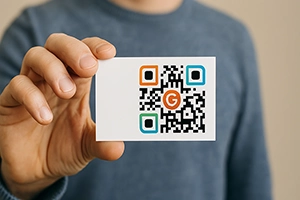
Customization guide: colors, logos, frames. How to create a branded code that stands out.
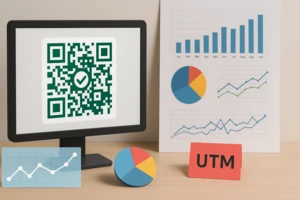
What to measure, which tools to use, and how to integrate with Google Analytics or CRM.
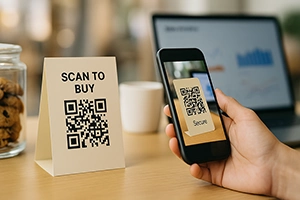
Omnichannel campaigns, A/B testing, scan analytics — how QR codes drive real business results.