
SMS QR Code Generator online
An SMS QR code opens the visitor's texting app with the recipient number and message already filled in. Instead of typing a phone number, copying a phrase, or looking for a form, the person only reviews the message and taps Send.
This type of QR SMS is useful when the next step should be quick: confirm attendance, request a call, reserve an item, report an issue, send an order ID, or submit a short code. It works especially well offline on flyers, stickers, packaging, booth signage, tickets, storefront displays, printed instructions, and POS materials.
How QR SMS works in FbFast
When someone scans the code with a smartphone camera or QR scanner, the phone offers to open the SMS app. The message can already include:
- the recipient's phone number;
- a prepared message;
- a promo code, order ID, event name, or campaign source when needed.
The SMS is not sent automatically. The user sees the text before sending and can edit it. That control matters because the person always knows exactly what will leave their phone.
For the phone number, use the international format, for example +12025550123. It is more reliable across devices and regional phone settings.
💡 Tip: Keep the message short and intent-driven. For example: "I'd like a consultation about the SMM PRO package."
⚠ Note: if your message contains emoji or non-Latin characters, one SMS segment can hold up to 70 characters. Longer text may be split into several SMS messages, and each segment can be billed separately by the user's carrier.
For messages with emoji or non-Latin text, stay under 67 characters to keep it safely within one SMS.
Where SMS QR codes make sense in real workflows
Stores, showrooms, and pickup points
SMS QR works well when a buyer sees a product offline and wants to make a quick request. A code on a price tag, shelf talker, or flyer can open a message like:
I would like to reserve item ART-204. Please call me back.This is practical for furniture stores, electronics retailers, local apparel brands, building supplies, flower shops, and order pickup counters.
Events, classes, and local meetups
For talks, workshops, training sessions, school events, or club meetings, a QR code can replace manual SMS typing. The attendee scans and sends a ready-made confirmation:
I confirm my spot for the May 18 workshop. Name: ___This format is helpful when the audience is mixed by age or when some people do not want to open a link or complete a form.
Delivery, pickup, and service requests
A QR code on packaging, a delivery note, or a customer notice can open an SMS that already includes the order number:
Order #4582. I am here for pickup.Or:
Order #4582. Please call me about the delivery.It reduces mistakes in order numbers and speeds up communication between the customer, courier, and pickup location.
Property teams, schools, and local services
An SMS QR code can be placed on a notice board, near an elevator, at reception, in a shared facility, or in an admin area. For example:
Address: ___ Building/Unit: ___ Issue: ___A simple template helps teams receive structured reports without long back-and-forth conversations.
Offline advertising: flyers, stickers, posters
SMS QR is useful wherever opening a website feels inconvenient or the connection may be unreliable: fairs, transport stops, exhibition stands, checkout areas, packaging, and service counters.
💡Important: if the message is connected to marketing or future follow-up, make the CTA transparent. Do not disguise promotional consent as a simple registration or request.
Ready-to-use SMS templates for your business
Not sure how to make the message short and clear? Here are a few practical templates you can copy into the generator and adjust for your use case:
- For restaurants and cafes: "I'd like to book a table for today. Please call me to confirm."
- For real estate teams: "I'd like to schedule a viewing for [address or property name]."
- For e-commerce and online stores: "Hi, I'd like an update on order #[order number]."
- For salons and clinics: "I'd like to know the available appointment times this week."
- For delivery services: "I need a delivery. Please call me to confirm the details."
💡 Tip: If the customer needs to add their own details, leave clear prompts in the text, such as [order number], so they immediately know what to complete before sending.
What to check before using an SMS QR code
An SMS QR code is simple, but it works best when the technical and behavioral details are handled before printing or publishing it in a public place:
SMS may cost the user money
The message is sent from the user's own phone, so the cost depends on their mobile plan. Recommendation: add a short note near the code, for example: "SMS billed at your carrier's rate" — it sets expectations and prevents surprises.
Not every phone handles SMS prefill the same way
Most modern Android and iPhone devices recognize SMS QR codes, but older phones and some scanner apps may behave differently. Recommendation: place a short fallback next to the QR, such as "For SMS: send 'INFO' to 12345." It gives people another way to act.
The SMS wording should be specific
The message opened after scanning should make the action clear from the first line. Recommendation: avoid vague wording. Use: "I confirm my attendance on May 10" instead of: "I, full name, according to the instructions, would like..."
Security and privacy
FbFast is built with privacy in mind. The generator on this page runs directly in your browser. That means we do not collect, store on our servers, or share the phone numbers and message text you enter to create the code. The QR code creation process happens locally and confidentially, so you can use the tool for business workflows without exposing your SMS content.
More control with dynamic SMS QR codes
Need scan analytics, editable message text after printing, access limits, or an expiration date?
Sign in to create a dynamic QRFrequently Asked Questions
How does an SMS QR code work?
After scanning, the phone opens the SMS app with the recipient number and message already filled in. The user reviews the text and taps Send manually.
Is the SMS sent automatically after scanning?
No. The QR code only prepares the message. It is sent only after the user confirms it on their phone.
Does QR SMS require internet access?
Internet access is usually not required to open the SMS app. The phone still needs mobile service to actually send the message.
What phone number format should I use?
Use the international format, for example +12025550123. It reduces the risk of the phone reading the number incorrectly.
Why should the SMS text be short?
Long messages can be split into several SMS segments. Emoji and non-Latin characters reduce the character limit, so it is better to keep only the essential action.
Can I use an SMS QR code for bulk messaging?
No. An SMS QR code is designed for a user-initiated action: a request, confirmation, inquiry, or short message. Bulk promotional SMS requires dedicated tools, recipient consent, and a proper opt-out process.
Who pays for the SMS after scanning?
The SMS is sent from the user's phone, so the cost depends on their mobile carrier plan. To avoid confusion, add a note near the QR code: "SMS billed at your carrier's rate."
📘 Useful articles from our blog
Guide to integrating QR codes into print media: UTM, sizes, CTA, and performance analytics.
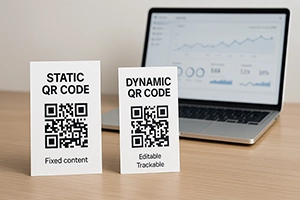
Explaining the advantages of dynamic codes: editing, analytics, security, and scalability for business.
How to use QR codes at conferences, exhibitions, and festivals to optimize visitor interaction.