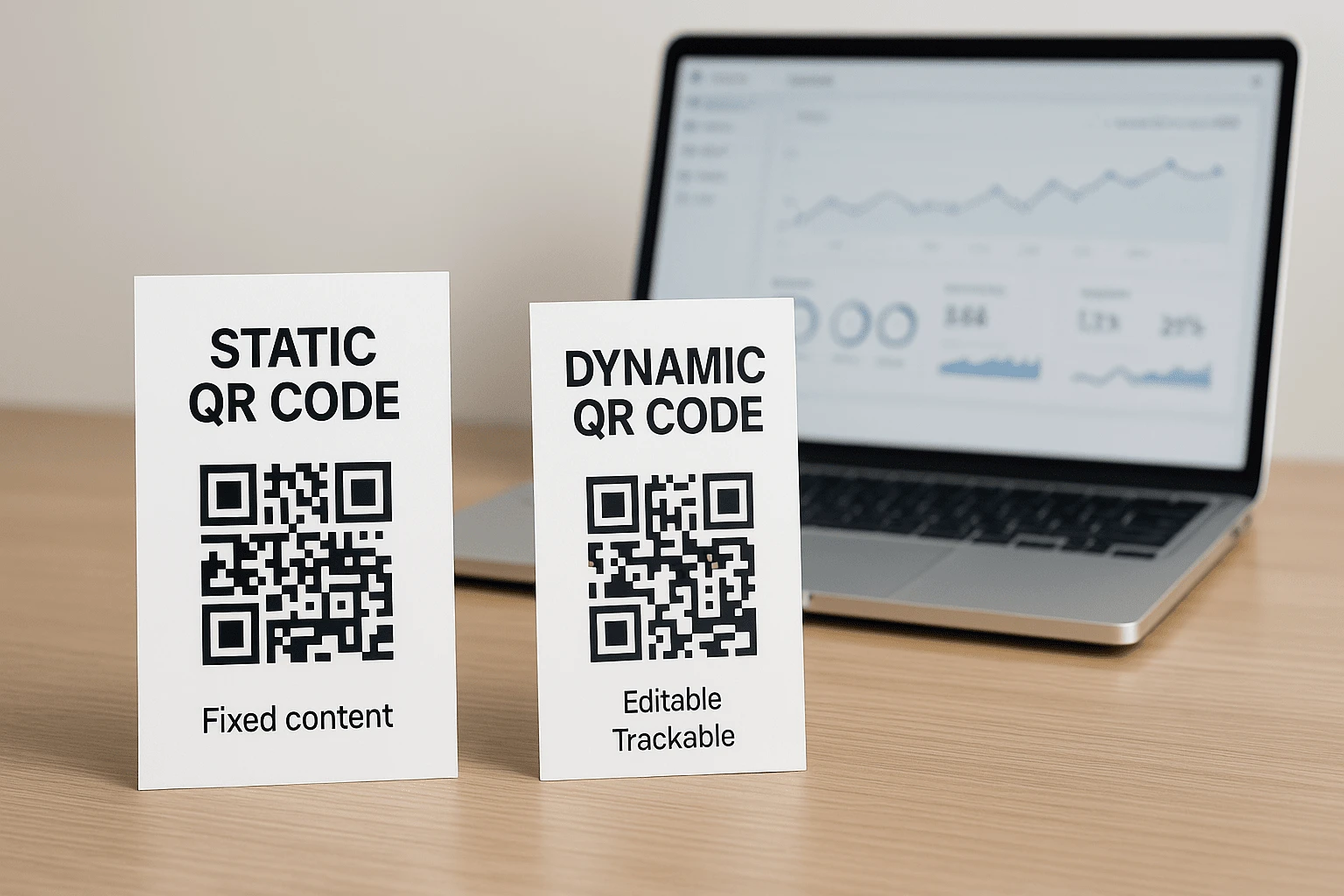
Static vs Dynamic QR Codes: Choose the Right One for Your Use Case
QR codes have become a natural part of everyday digital life. They appear on restaurant menus, product packaging, ads, receipts, instruction cards, and event tickets. For the person scanning, the experience feels effortless: point the camera, open a link, or get the information you need.
But when it is time to create your own QR code, one practical question comes up immediately: should it be static or dynamic? This is more than a technical detail. Your choice affects how the code can be used later, whether you can edit it, what analytics you can collect, how confidently you can print it, and how much a mistake may cost.
At first glance, the difference seems minor. Both formats scan with a smartphone camera, and both can open a website, file, contact, or other content. Behind the pattern, however, they work in very different ways. A static QR code stores the information directly in the image, while a dynamic QR code uses a managed redirect that you can update after the code has been created.
This guide breaks down the real differences between static and dynamic QR codes, including the strengths and limitations of each format, when a simple code is enough, and when editing and analytics are worth planning for from day one. You will find practical examples and clear advice for print, marketing, and business, without unnecessary technical jargon.
💬 Whether you run a business, design print materials, manage marketing campaigns, organize events, or simply need a convenient way to share information, this guide will help you choose with confidence.
What Is a Static QR Code, and When Is It Enough?
A static QR code stores its data directly in the visual pattern. When you create it, the code permanently encodes a URL, text, Wi-Fi password, email address, phone number, vCard, or other information. From that point on, the code cannot be changed. If the link moves, the file is replaced, or you spot a typo, the original QR code cannot be edited.
That makes the static format a strong fit for information that is stable and does not need ongoing management. Typical examples include a hotel Wi-Fi password, a short message, a feedback email address, a contact card, or a link to a document that is not expected to move. In these cases, a static QR code is straightforward, dependable, and requires no follow-up after creation.
It is a convenient option when you need to create a QR code for text, offer quick Wi-Fi access, or add contact details to a printed business card. The user scans once and immediately receives the information stored in the code.
🟦 Advantages of a Static QR Code
Simplicity is the biggest advantage of a static QR code. You do not need an account, subscription, or management dashboard to create one. Enter the data, generate the code, and place it in a design, display it on screen, or send it to print. There is no scan limit or expiration date, and the code does not rely on a redirect service.
Another important advantage is support for offline use. If the code contains text, Wi-Fi credentials, or a contact card, users can access that information without opening a website. This is useful at trade shows, hotels, venues with unreliable mobile service, and events where connectivity cannot be guaranteed.
🔻 Limitations to Consider Before Printing
The limits of a static QR code become clear as soon as the information changes. Once it is printed, you cannot replace the destination, correct a mistake, add UTM parameters, or redirect people to another page. If the code appears on 10,000 flyers, packages, or stickers, one small error can turn into an expensive reprint.
Static QR codes also provide no scan analytics. You cannot see how many people scanned the code, when they scanned it, or which devices and countries generated the traffic. That may not matter for personal or basic informational use, but it makes advertising, promotions, events, and sales campaigns much harder to evaluate.
Long URLs deserve special attention as well. Encoding a lengthy address with UTM tags, campaign parameters, or a complex path makes a static QR pattern denser. Dense codes can be harder to scan when printed at a small size, reproduced poorly, shown with low contrast, or placed on a curved surface.
What Is a Dynamic QR Code, and Why Can You Manage It?
A dynamic QR code works differently. Instead of storing the final destination directly in the image, it contains a short redirect link. After scanning, that redirect sends the user to the page, file, form, promo code, or other resource selected in your account.
This allows the QR image to stay exactly the same even when the destination changes. It can point to a promotion today, a new landing page tomorrow, and a Google Form, PDF, or localized page later. Your printed materials, stickers, posters, and packaging remain useful throughout those changes.
Dynamic QR codes are especially valuable in marketing, retail, hospitality, events, service businesses, and any campaign where the destination needs to remain manageable after launch. You can create one in our QR code generator after signing in. Your account gives you access to destination editing, scan statistics, access controls, and campaign management.
⚙️ Why Businesses and Marketers Choose Dynamic QR Codes
The first advantage is the ability to change the destination. If a URL changes, a page moves, a promotion is extended, or users need to see different content, you simply update the settings in your dashboard. The QR code itself stays the same, so there is no need to reprint materials or rebuild layouts.
The second advantage is scan analytics. A dynamic QR code can show how often it was scanned, when scans happened, and which devices and countries generated them. These insights reveal whether a flyer, poster, package, or offline ad is actually working. Learn more in our guide to tracking QR code performance.
The third advantage is access control. Depending on the campaign, you can use passwords, time windows, scan limits, or other restrictions. These controls are useful for private resources, limited offers, registration-only events, and content that should not remain available forever. Answers to common setup questions are available in our FAQ.
The fourth advantage is scanability. Because a dynamic QR code usually contains a short link, its pattern can be less dense than a static code built from a long URL. That is helpful on small layouts, labels, menus, business cards, outdoor advertising, and any material people may scan from a distance.
📌 Example: a retailer runs a new promotion every week and displays QR codes on in-store posters. Instead of printing new posters each time, the team updates the destination in its account. The code stays in place while the customer offer always remains current.
🔸 Limitations of a Dynamic QR Code
A dynamic code requires an internet connection because the user must follow a link after scanning. Someone who is offline will not be able to open the destination, even if the camera successfully reads the code. For Wi-Fi credentials, text, or contact details that need to work offline, a static format may be more practical.
Creating and managing a dynamic QR code also requires an account. That account is what lets you change the URL, review statistics, configure restrictions, and control the campaign. If you only need a one-time code that will never change, those features may be unnecessary. For advertising, print, and business workflows, however, the added control is often worth the extra step.
QR Code Security: When Access Control Matters
A QR code is more than a convenient shortcut to a link. It is a delivery channel, and its setup shapes both the user experience and the level of control you retain. A static code opens whatever was permanently encoded in it. A dynamic QR code gives you more control after launch, especially when you may need to change the destination quickly or restrict access.
A dynamic QR code supports use cases where timing, privacy, or a limited number of scans matters. Event resources can become available only on the day, a promo code can expire with the campaign, and a private document can require a password.
🔐 When Security Should Be Planned from the Start
Access control is especially important when a QR code leads to private documents, internal instructions, attendee resources, personalized offers, or restricted pages. In those situations, publishing a permanent link without a way to disable, replace, or limit it creates unnecessary risk.
Promo codes and special offers need more than a correct destination; they may also need protection from uncontrolled sharing. If an offer should work only for a limited time or a specific audience, a dynamic format gives you more ways to manage it. The same applies to events: a QR code on a badge, poster, or ticket can deliver the right resources exactly when attendees need them.
Static codes do not offer these controls because their information is fixed. A dynamic QR code supports a more manageable access flow: replace the destination, disable an outdated link, add protection, or change the experience without printing a new code.
🔒 Important: QR code risks usually come from unchecked links, weak access controls, and mistakes missed before printing, not from the format itself. A dynamic code still needs testing, but it gives you more ways to correct a problem quickly.
Learn more about risks, link verification, and safer scanning in "Are QR Codes Safe? How to Avoid Scams and Phishing".
Static vs Dynamic QR Codes: Key Features Compared
If you are still deciding which format fits your needs, compare them by practical criteria rather than theory. The table below shows how static and dynamic QR codes differ after creation, in print, in analytics, and in access-controlled scenarios.
| Feature | 📘 Static QR | ⚙️ Dynamic QR |
|---|---|---|
| Content can be changed after creation | 🚫 No | ✅ Yes, at any time |
| Scan analytics | 🚫 Not available | ✅ Scan statistics available |
| Offline access | ✅ Yes, for text, Wi-Fi, or contact data | 🚫 No, opening the destination requires a connection |
| No account required | ✅ No account needed | 🚫 Registration required for management |
| Supports password, time, or scan limits | 🚫 No | ✅ Yes, depending on configuration |
| Scanability with long URLs | ❌ The code may become dense and harder to scan | ✅ A short redirect is usually easier to scan |
🧠 What This Means in Practice
Imagine a print campaign built around flyers with a QR code. A week later, the URL changes, a new landing page launches, or the analytics team needs a different tracking parameter. With a static code, the printed materials cannot be corrected. With a dynamic code, you update the destination in your account and every flyer keeps working.
Analytics follows the same rule. If you need to know how many people scanned the code, which devices they used, when they scanned, and where they were located, a static QR code cannot provide that data. Campaigns that need measurable results and channel comparisons should use a dynamic format from the start. This is especially important for marketing decisions driven by analytics.
Flexibility is not always necessary, though. If you are printing a Wi-Fi password, contact details, or a short message that will not change, a static QR code may be the simplest and most convenient choice. It offers fewer controls, but stable data often does not need anything more.
💡 Tip: choose for the use case, not for the longest feature list. If the code must remain manageable after printing, use a dynamic format. If the information is permanent and analytics are unnecessary, a static QR code may be all you need.
The Business Cost of QR Codes: Where Hidden Expenses Appear
At first glance, static QR codes look like the more economical option. You can create one without registering, download it in seconds, and add it straight to a design. For simple tasks, that convenience is real. But once a QR code goes to print, appears on packaging or outdoor advertising, or becomes part of a multi-stage campaign, the cost of a potential mistake matters more than the cost of creating the code.
Suppose you print 5,000 flyers with a QR code for a promotion. A week later, the offer changes, the landing page moves, or someone discovers an error in the link. A static code gives you no way to correct it. The business then pays for another print run, spends time replacing materials, and loses customers who scan the code but land in the wrong place.
A dynamic QR code makes that situation easier to resolve: update the destination in your account, and the printed code remains valid. This is especially useful for packaging that cannot be refreshed every week, campaigns with changing links, menus, catalogs, billboards, stickers, point-of-sale materials, and signage.
The cheaper option at launch is not always the cheaper option overall. If information may change after materials have been printed or installed offline, a lack of flexibility becomes a business risk. In these cases, a dynamic code helps preserve control and prevents one incorrect URL from forcing a full campaign restart.
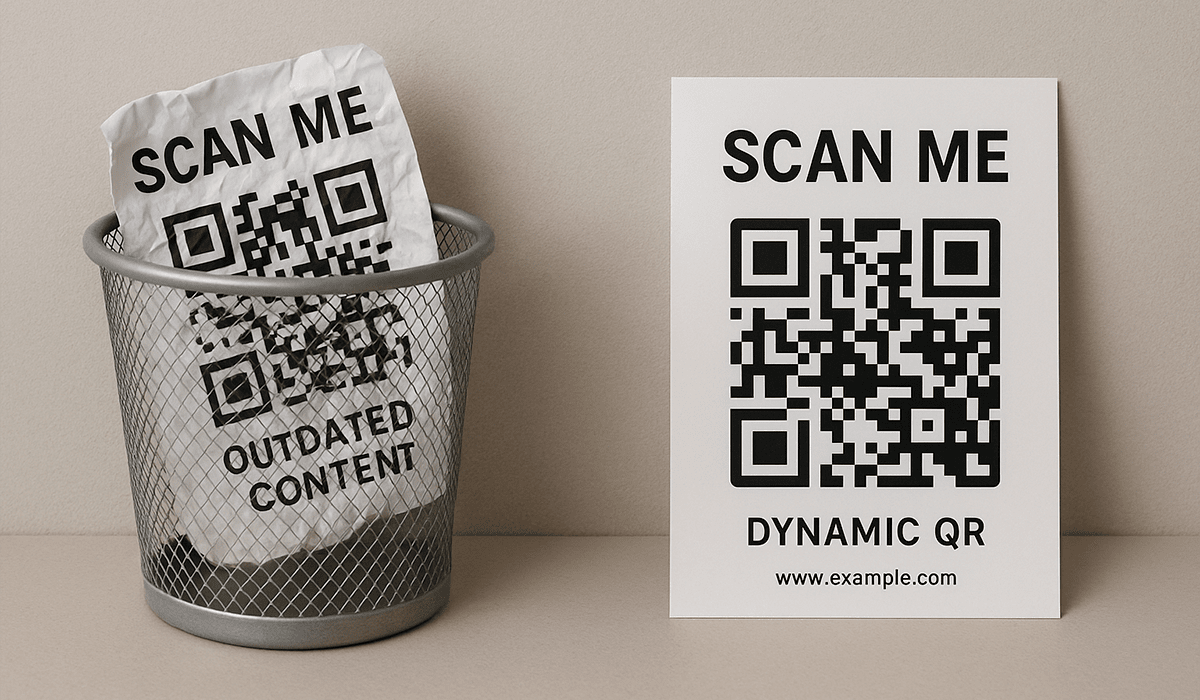
When to Choose a Static or Dynamic QR Code: Real-World Examples
Choosing between a static and dynamic QR code is not about which format is universally better. It depends on what should happen after the scan. One format works well for permanent contact details; the other is built for campaigns that need editable destinations, analytics, or access controls.
📘 When a Static QR Code Is the Better Fit
A static QR code is a good fit when the information will not change and analytics are unnecessary. For example, you may be organizing an event at a venue with unreliable internet and need to share a short message, Wi-Fi password, or contact details. The code can deliver that information directly without opening an external website.
A business card is another clear example. If you only need to share a name, phone number, email address, or company name, there is no need for a complex workflow. You can create a QR code for a vCard, add it to the design, and print it on a card, badge, or presentation handout.
Static QR codes also work well for instructions that rarely change, short messages, Wi-Fi access, internal signs, and small informational materials. If the data will stay current and scan statistics are not needed, a static QR code keeps the process simple.
⚙️ When a Dynamic QR Code Is the Better Choice
Choose a dynamic QR code for campaigns that may change after launch. For example, you may print promotional flyers while updating the offer page every week. Instead of ordering another print run, change the URL in your dashboard and let the same code take users to the latest page.
A dynamic format is also more practical when you need to track campaign performance. Scan data helps reveal which placements work best, when the audience is most active, and whether the message, location, or design should change.
Dynamic QR codes are also useful when access requires additional rules, such as a password, time window, scan limit, or conditional redirect. These scenarios are relevant for paid content, private resources, location-specific offers, events, and pages that should work only during a set period. Explore more capabilities on the FbFast home page.
🔄 A simple rule: choose a static QR code for permanent information. If you need to edit, measure, restrict, or scale a campaign, start with a dynamic code.
One Destination, Two QR Codes: A Visual Comparison
Static and dynamic QR codes can look almost identical. A user scans the image with a camera and expects a page to open. For the code owner, however, the difference is significant: one permanently locks in the address, while the other keeps the destination editable and the scans measurable after launch.
📘 Static QR Code
In this example, the full link, including UTM tags or other parameters, is stored directly in the QR code. If the landing page changes, the code cannot be updated. It will continue opening the old address, and no scan statistics will be available.

⚙️ Dynamic QR Code
The dynamic version stores a short redirect. After printing, you can change the final destination in your account while the system collects available scan data, such as volume, time, countries, and device types.

This approach is useful when you want to create a branded QR code with custom styling and a logo, reuse it across campaigns, and change only the destination page. It keeps your visual identity consistent and prevents print materials from needing a redesign whenever the offer changes.
💡 Before printing, consider more than where the code leads today. Ask whether that destination could change next month or after the campaign launches.
Common Mistakes When Creating and Using QR Codes
QR codes are often treated as a simple technical element: generate one, add it to the layout, print it, and move on. That apparent simplicity is exactly why some mistakes remain invisible until launch. The risk is highest in advertising campaigns, large print runs, packaging, product presentations, and materials that are difficult to replace quickly.
🚫 Mistakes with Static QR Codes
The most common static QR code problem is a permanently encoded URL with an error. Once the wrong link goes to print, it cannot be corrected. Outdated content creates the same issue: the code opens a deleted file, a page that has moved, or a promotion that ended long ago.
An excessively long link is another frequent mistake. URLs packed with parameters, UTM tags, and technical data create denser QR patterns. When such a code is printed too small, lacks contrast, or sits on an uneven surface, users may struggle to scan it.
⚠️ Mistakes with Dynamic QR Codes
With dynamic QR codes, the most common mistakes usually happen in the settings rather than the image. A team may create the code but forget to test the redirect, sending users to an empty, technical, or outdated page. Sometimes the campaign ends while the code continues to open an old offer, creating the wrong expectation for anyone who scans it.
Unprotected private or internal materials create a separate risk. If a QR code opens an internal document, instruction, restricted page, or resource intended for a limited audience, plan the access rules, expiration period, and ability to change the destination before publishing it.
The QR code format itself is not the mistake. Problems appear when the format does not match the use case or the code launches without proper testing. Before printing or publishing, scan it on several devices, verify the destination, check the contrast, and add a short call to action so users know what to expect.
💡 Tip: do not test a QR code only on the designer's screen. Scan the printed layout in real lighting, from different distances, and with several smartphones.
For a deeper breakdown, read "The Most Common Mistakes When Creating QR Codes" and "The Most Common Mistakes When Using QR Codes".
Conclusion: The Right QR Code Depends on the Job
Choosing between a static and dynamic QR code is not about picking the newer or more feature-rich format. Start with the job: what information needs to be shared, whether it may change after printing, whether analytics matter, how costly a URL mistake would be, whether access should be restricted, and how long the code needs to remain useful.
If you need simplicity, offline access, or one-time use with stable data, a static QR code is a sensible choice. It requires no account, takes seconds to create, and works well for text, Wi-Fi credentials, contacts, and other permanent information.
If you are planning an advertising campaign, print run, packaging, promo code, event, or any experience where links may change and results need to be measured, choose a dynamic QR code. It turns a simple image into a manageable tool with editing, statistics, and additional control.
Begin with one question: what should happen after the scan? If the answer is simple and permanent, create a static code. If the answer may change or the outcome needs to be measured, use a dynamic one. That decision will help you avoid unnecessary costs, keep control of your materials, and give users a reliable experience every time they scan.
Ready to try both approaches? Create a simple code with the FbFast QR code generator, or sign in to set up a dynamic code for a campaign you can edit after launch.