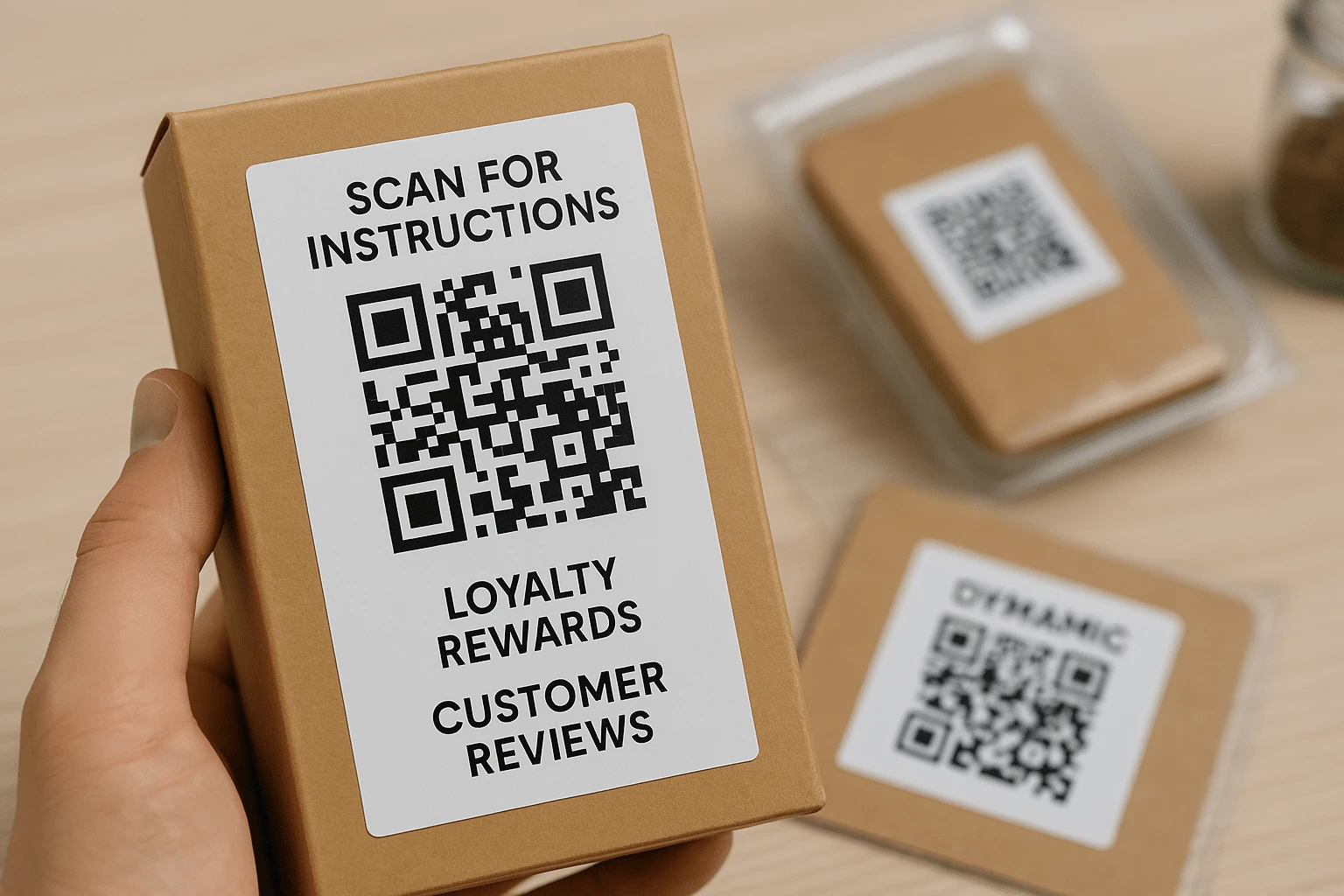
QR codes on packaging: how to keep the customer conversation alive after purchase
Packaging is more than a box, a label, or a protective wrap. For many customers, it is the last physical touchpoint with a brand before the product becomes part of their routine. That moment does not have to end the conversation. A simple QR code can open the next useful step: setup instructions, warranty registration, a reward, a review form, or customer support.
Picture the moment: someone unboxes a product, notices a clear prompt next to the code, scans it with a phone camera, and lands exactly where the next question is answered. No need to search for the brand website, install an app, type a long URL, or unfold a paper manual. One scan turns the package into a practical digital bridge between the purchase and the experience that follows.
That is how modern packaging works: it does not go silent after the sale, it helps the customer get value faster. For the brand, this is more than a service detail. A QR code can become the entry point to post-purchase communication, a source of reviews, a loyalty channel, and an analytics layer that shows how people interact with the product after they buy it.
In this article, we will look at how brands use QR codes on packaging to share instructions, collect ratings, activate warranties, run rewards, and turn an ordinary printed code into a real marketing channel. A small square on a box can influence trust, repeat purchases, and the quality of the customer experience more than it seems at first glance.
If packaging still feels like the final step of the sale, it is worth reframing it. A QR code on the package is not a full stop in communication. It is a continuation of the conversation at the exact moment the product is already in the customer hands.
What to put behind a packaging QR code and why brands use it
At first glance, a QR code is just a small pixel grid on a box or label. The value is not in the image itself, but in the journey it opens after the scan. The code can lead to service, onboarding, a tailored offer, support, or a repeat purchase path. The better that journey is designed, the more naturally a customer moves from curiosity to action.
Instructions without the paper booklet
If a customer buys a device, a skincare product with several steps, a product for children, sports equipment, or anything that requires a correct first use, a QR code makes the first interaction easier. Instead of a long booklet in the box, the brand can offer a short path to a video, a step-by-step guide, a PDF, or an FAQ page.
This reduces mistakes, returns, and support requests. The customer does not put the product aside for later because the first steps are unclear. They scan the code and immediately see what to do next. For the brand, it is a way to shape the first experience instead of leaving the customer alone with a box, a folded manual, and a Google search.
Warranty activation that feels easy
After purchase, customers are often willing to register a warranty, but they do not want a long form. A QR code on the package can lead to an activation page with only the fields that matter: serial number, purchase date, and a contact for confirmation. If some data can be prefilled or clearly explained on the page, the process becomes even smoother.
For the customer, this signals that the brand does not disappear after checkout. For the company, it creates a useful contact, a clearer view of sales channels, and a chance to communicate later in a relevant way: remind about service, suggest an accessory, share an update, or ask for feedback after the product has been used for a while.
Rewards and loyalty at the right moment
A person who has just received a product is in one of the most valuable moments of the customer journey. They have already trusted the brand, opened the package, and are ready to judge the experience. This is the right place to offer a reward: cashback, points, a personal discount, a gift with the next order, or entry into a loyalty program.
A QR code on packaging does not feel like intrusive advertising when the text next to it is clear and honest. For example: "Scan to get a reward for your next order" or "Register your purchase and unlock a personal offer". That kind of interaction feels like service, not a separate sales push.
Reviews while the experience is still fresh
The best time to ask for a review is when the customer has received the product and still remembers the first impression. A QR code with a short explanation can lead to Google, Amazon, a marketplace, an internal form, or a rating page. The key is to keep the path short: the fewer steps, the higher the chance that the customer will actually leave feedback.
This approach helps brands collect more than emotional complaints after bad experiences. It creates a more balanced view of the customer journey. Reviews become a source of useful analytics and social proof: they show what buyers appreciate, where friction appears, and which arguments can strengthen future communication.
Fast access to support
Not every customer will read the instructions carefully. But when something does not work, the answer needs to be quick. A QR code can open a chat, a knowledge base, a warranty request page, or a feedback form. This is especially useful for products where questions appear immediately after opening: electronics, appliances, complex accessories, products for children, or professional equipment.
The support team benefits as well. Common questions can be answered before a ticket is created, while more complex cases arrive with the right context: model, serial number, problem photo, or a short description of the situation. The result is less stress for the customer and a faster response from the brand.
Videos that explain the product without a salesperson
Some products are much easier to show than to describe. A QR code can open a short demo video: how to assemble the item, apply the product correctly, configure the device, combine it with other products, or understand the difference from a basic version. It works like a consultant who appears exactly when the customer is ready to watch.
Video also lets the brand control the tone and quality of the explanation. Instead of relying on random third-party videos, the customer sees official content with the right emphasis, safe recommendations, and a clear logic of use.
Cross-selling through useful context
A QR code on packaging can lead not only to instructions, but also to add-ons: accessories, consumables, bundles, service options, or compatible products. The main rule is not to turn it into an aggressive catalog. The customer should see the connection between what they already bought and what may genuinely help them.
For a coffee machine, that may mean filters and cleaning products. For skincare, compatible products from the same routine. For sportswear, care advice and styling recommendations. In that context, cross-selling looks less like pressure and more like continued service.
How brands use QR codes on packaging: examples from different niches
The idea sounds simple, but it becomes more powerful in real scenarios. Across categories, a QR code plays different roles: in one case it removes anxiety before first use, in another it tells the product story, and in another it leads to reordering. Below are examples that can be adapted for many types of businesses.
Beauty: a QR code as a personal guide
A cream, mask, serum, or acid peel can be excellent, but the customer may still be unsure when and how to use it. A brand can add a QR code that opens a short video or page explaining whether to use it in the morning or evening, how much to apply, what not to combine it with, and how often to repeat the routine.
This matters in beauty because incorrect use can ruin the impression even when the product itself is strong. When the package leads to a clear explanation, the customer feels more confident. The brand also gets a chance not only to educate, but to introduce complementary products from the same line in a natural way.
Electronics: less paper, less frustration
Imagine a new gadget. The box contains minimal paper, while the packaging or insert includes a QR code that opens a setup video, warranty activation, answers to common questions, and support contacts. The customer does not jump between several tabs or search for the model manually. They land on a page built for that exact product.
This scenario saves time for both the customer and the service team. The brand can update instructions, add new answers, correct inaccuracies, and explain software updates without reprinting materials. If the brand uses a dynamic QR code, the destination can be changed even after the packaging has been printed.
Food: origin story as part of the taste
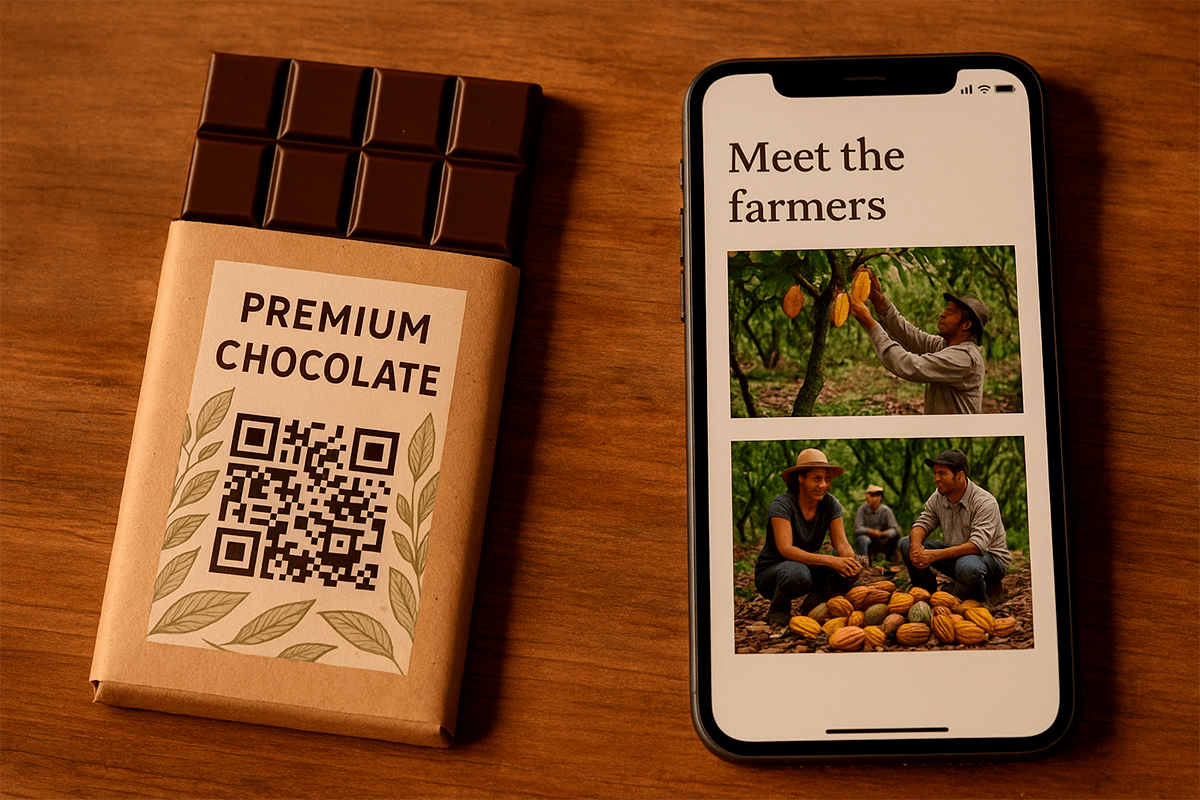
For food products, a QR code often works not only as a service tool, but also as an emotional one. For example, a chocolate package can include a code with the prompt: "See where the cacao comes from". After scanning, the customer lands on a page about the farm, bean variety, production process, people behind the product, or responsible sourcing principles.
A simple chocolate bar gains context. The customer is no longer just picking a product from a shelf. They understand its origin, value, and difference from other options. For brands with local production, farm ingredients, or transparent supply chains, this format is especially useful.
Delivery: feedback right after arrival
For delivery services, online stores, and subscription boxes, a QR code on the box can lead to a quick order rating. The customer has just received the parcel, can see its condition, remembers the delivery speed, and can share an impression immediately. If the review unlocks a reward or discount for the next order, the motivation becomes stronger.
The request should stay honest and simple. Do not force a long questionnaire if the package promises "30 seconds". A few short questions with an optional detailed comment will collect more responses without making customers feel used after the sale.
Apparel: QR code as a care and styling assistant
On a clothing tag, a QR code can open a size guide, care tips, workout videos, styling ideas, or material information. This is especially relevant for sportswear, footwear, outerwear, kidswear, and products where poor care can quickly damage the look.
The customer sees not only how to wash the item, but how to keep it in good condition longer, what to wear it with, and how to use it properly. For the brand, this extends the value of the purchase and reduces negative impressions caused not by quality, but by incorrect use.
Each of these scenarios shows that a QR code on packaging can do different jobs. It can explain, sell, support, teach, and collect feedback. If a brand ignores this touchpoint, part of the potential interaction disappears at the moment when the customer is most focused on the product.
QR codes on B2B packaging: data, service, and process control
In B2B, packaging often plays a different role than it does in retail. There is less emotional presentation and more demand for accuracy: documents, batches, serial numbers, specifications, quality control, logistics, and repeat supply. That is why QR codes in B2B can work even more effectively than they do on consumer products. A business scans not out of curiosity, but to complete a specific task faster.
Manufacturing and logistics: packaging as a work interface
One scan can open shipping documents, certificates, technical specifications, storage instructions, or safe-use information. A warehouse employee, procurement manager, or partner does not need to search email, ask a sales manager for files, or manually check whether a shipment matches the order.
This is especially valuable for goods that pass through several hands: manufacturer, distributor, warehouse, installation team, service partner, and final customer. A QR code on the box keeps the right information available at every stage and reduces errors caused by manual work.
Serials, batches, and traceability
Batch packaging can include a QR code that opens a page with the series number, production date, expiration date, storage conditions, quality-control results, or current shipping status. This matters in food production, healthcare, cosmetics, electronics, construction materials, and any category where traceability is important.
This format increases transparency between manufacturer, partner, and customer. When the required data is available directly from the package, less time is spent on clarification and trust in the process grows.
Repeat orders without extra email chains
In B2B, a repeat order often starts with searching for a previous specification, finding an old manager email, or clarifying SKUs. A QR code can lead to a personalized order form where the product, batch, typical quantity, or responsible manager contact is already listed. It shortens the path from need to request.
For the client, this is easier than writing "please repeat the same order". For the supplier, it means less manual work, fewer item errors, and faster request processing. It works especially well for consumables, components, packaging materials, raw materials, and regularly supplied goods.
Integration with internal systems
QR codes can point to a CRM, internal portals, warehouse pages, receiving forms, service tickets, or documentation tied to a specific product. In more advanced scenarios, the code becomes part of the workflow: it is scanned during receiving, inventory, installation, service inspection, or return processing.
So a QR code on B2B packaging is not decoration or a fashionable detail. It is a way to make data available where it is needed: in the warehouse, on the production floor, in transit, during installation, or at the moment of reordering. Where speed and accuracy matter more than presentation, this tool is especially relevant.
What a brand gains from a QR code on packaging
For the buyer, a packaging QR code is convenience. For the brand, it is an additional layer of digital interaction that starts working after the product has left the shelf, warehouse, or pickup point. It helps the brand keep the customer relationship alive, understand audience behavior, and guide what happens after the purchase.
Post-purchase communication without pressure
In many businesses, contact with the customer effectively ends after payment. The person receives the product, and the brand hopes they will return on their own, find the website, subscribe to updates, or leave a review. A QR code on packaging changes that logic: it creates a natural bridge back to the brand at the moment when the customer is already interacting with the product.
This is not a push notification or a banner that interrupts attention. The customer scans because the value is clear: instructions, a reward, warranty, support, or extra information. That is why this type of communication feels much softer.
Automated feedback collection
Asking for feedback is always difficult: emails get lost, messages are postponed, and customers quickly move on to other tasks. A QR code on packaging brings the request closer to the real experience. The person sees the box, has just opened the product, and can rate the purchase quickly.
When the form is short and relevant, the brand receives more responses. The invitation also matters: not "leave a review because we need it", but "tell us if everything felt easy, it helps us improve the product and service". This kind of feedback is often better suited for customer experience analysis because it reflects more than only extreme negative cases.
Branding that keeps working after purchase
A branded QR code can support the identity when it is designed carefully: with a logo and brand styling, but without sacrificing contrast and scan reliability. It remains part of the package that the customer may photograph, share in a story, keep on a shelf, or pass to someone else.
Functionality should not be sacrificed for design. The QR code needs to scan quickly, not only look good in the layout. When that balance is right, it supports the visual system and performs a practical job at the same time.
Scan analytics and flexible content updates
With dynamic QR codes with analytics, a brand can see when the code is scanned, from which devices, in which regions, and which scenarios perform better. That provides more insight into post-purchase behavior than ordinary packaging, which gives no data after it has been printed.
A dynamic QR code also lets the brand change the destination page without reprinting packaging. Today it can lead to instructions, next month to a seasonal offer, and later to an updated support page. This is especially important for brands that test different offers or regularly update information.
Support that gets customers to answers faster
When customers cannot find instructions, do not understand setup, or have warranty questions, they contact support. If all of this is available through a QR code, some requests are resolved before an agent is involved. The tickets that still arrive are more precise.
As a result, support teams spend less time on basic explanations and can focus better on complex cases. Customers benefit too because they get answers faster and do not feel forced to hunt for information on their own.
The point is simple: one QR code on packaging can give a brand several control points across the customer experience. It helps the brand stay present after purchase, see real interactions, and offer the next step at the right time.
What should happen after a packaging QR code is scanned
Work with QR codes often stops at one assumption: "It will open a link". But a link by itself does not create a result. The result appears when, after scanning, the customer quickly understands where they landed, what is being offered, and what action to take next.
That is why a packaging QR code should be planned not as a standalone image, but as the start of a scenario. The page after the scan must match the context: the person has just opened the product, is holding it, and wants either to figure it out, gain extra value, or finish a task quickly.
Mini quiz or short survey
For some categories, light interaction works well: a short product quiz, a test with a personal recommendation, a first-impression survey, or a simple choice of use case. This format is worth using when it truly fits: FMCG, fashion, beauty, hobby products, gift sets, or products for a younger audience.
The important thing is not to overload the customer. If a long form appears after the scan, the page will close quickly. A few easy steps should lead to something useful: a recommendation, reward, curated selection, promo code, or product tip.
Newsletter signup or messaging bot
A QR code can lead to a signup form, a messaging bot, or a channel with useful updates. But the subscription needs a reason. "Subscribe to our news" is usually weak. It is better to explain exactly what the customer will get: usage tips, refill reminders, access to private offers, new recipes, workouts, or instructions.
The post-purchase moment is well suited for building a loyal audience because the customer is not interacting with the brand in the abstract, but through a real product. If the subscription extends the value of the purchase, it feels natural.
Onboarding or micro-learning
For devices, beauty products, smart products, professional equipment, and products with several use steps, a QR code can launch a short learning sequence. The first video opens right after the scan, while the next prompts arrive by email, messenger, or a page with stages.
This approach helps reveal product value gradually. The customer does not get all the information at once and does not get lost in details. They move step by step, build a habit faster, and return products less often because of wrong expectations or misunderstood features.
Instant surprise or gamification
A "scan to reveal what you got" scenario can work very well when it is transparent. It may be a discount, bonus content, collectible element, access to a private page, sweepstakes entry, or personal recommendation. The main rule is not to promise more than the brand can actually deliver.
Gamification is especially relevant for products bought often or emotionally: snacks, drinks, cosmetics, apparel, kids products, and gift sets. In these categories, repeat scanning can become part of a habit and strengthen interest in the brand.
🔗 Redirects by date, language, or scenario
Dynamic QR codes can change behavior based on conditions. For example, in the first days after purchase, the code can lead to instructions and warranty activation. A few weeks later, it can point to a review form, and later still to a repeat-order reward. For different language versions, users can be sent to different pages without changing the physical code on the package.
This scenario is useful for brands that sell in several countries, run seasonal campaigns, or want to test different offers. This is how professional QR generators with analytics and dynamic links work: the code stays the same, while the content after scanning can adapt.
A QR code is only the starting point. After it comes a scenario that should be useful for the customer and measurable for the brand. The better that path is designed, the more value every scan creates.
How to place a QR code on packaging so people actually scan it
Even the strongest post-scan scenario will fail if the code is hard to see, does not scan reliably, or gives the customer no reason to scan. A QR code on packaging is a functional design element. It should be tested not only in the layout, but in real conditions: on the packaging material, under different lighting, and from different distances.
Contrast should beat decoration
Glass jars, metallic labels, glossy films, textures, and busy backgrounds can look impressive, but they can interfere with scanning. The QR code needs to stand clearly apart from the background. The safest choice is a dark code on a light base with enough quiet zone around it.
If the code is integrated into branded design, do it carefully. Gradients, transparency, and complex patterns can reduce readability. With QR codes, aesthetics should not beat function because customers usually give the tool one chance. If it does not work immediately, many will not try again.
Size depends on surface and distance
A 2x2 cm guideline works for many small packages, but it is not a universal rule. If the surface is curved, flexible, textured, or the code will not be scanned up close, increase the size. On bottles, bags, tubes, and soft packaging, a small code can deform or be partly hidden by folds.
Before printing, test a physical mockup, not a perfect PDF on a screen. Print the package or label at real size, apply it to the surface, and test it with several smartphones. This simple step can prevent an expensive reprint.
A nearby explanation increases scans
A QR code without a caption is often ignored because the customer does not know what will happen after scanning. Put a short, specific CTA nearby: "Scan for setup", "Activate warranty", "Get your reward", "Leave a review in 30 seconds", "Verify product origin".
A good call to action does not promise vague "more information". It explains the benefit. The customer should understand why to scan before taking out the phone. This is especially important on packages with many other elements: ingredients, barcode, labeling, certificates, and promotional messages.
Branded design without losing scan reliability
A branded QR code can look polished and support the identity if it does not interfere with the core function. You can use a logo in the center of the QR code, brand colors, or a frame with an explanation, but contrast, geometry, and enough space around the code must remain intact.
Before launch, test the code in the same conditions where the customer will see it: on a store shelf, near checkout, at home under evening light, after opening the box, or on a curved label. The design should help people notice the code, not hide it among other elements.
Dynamic codes give flexibility after printing
A static QR code contains a fixed link. If the page needs to be updated, the promotion changed, the video replaced, or another offer tested, the brand has to reprint packaging or keep an outdated experience. A dynamic QR code solves this: the printed image on the package stays the same, while the destination link can be edited.
This is especially important for seasonal campaigns, warranty pages, instructions, promotions, and localized content. If you plan to run different post-scan scenarios, create a dynamic QR code in FbFast and manage the link without reprinting packaging.
Visibility should match customer behavior
Do not hide the QR code on the bottom of the box, under the lid, in a tear zone, or where a sticker will cover it. The best places are where the eye naturally lands or where the hand interacts with the package: the front panel, top label, opening area, inner flap, or insert that the customer will definitely see.
Before approving the layout, pick up the package and walk through the customer journey: notice it, open it, remove the product, find instructions, use the code. If the QR code is hard to notice in that scenario, it will underperform even if it is technically printed correctly.
Common packaging QR code mistakes and how to avoid them
A QR code looks simple: generate it, add it to the layout, print it. That simplicity is exactly why it is often underestimated. Mistakes appear not only in design, but also in logic: the code leads to the wrong place, sits in the wrong area, has no explanation, or opens a page that does not match customer expectations.
Placing the code where it is hard to scan
If a QR code lands on a curved part of the package, under clear film, on the edge of a label, on a fold, or in an area that tears during opening, scanning becomes a problem. For the customer, that is not a small technical flaw. It is a broken experience: they wanted quick instructions or a reward and instead lose time.
To avoid this, evaluate not only the layout but the physical behavior of the package. It may compress, shine, crease, be covered by fingers, or deform after opening. The QR code must remain accessible in real use, not only on a polished presentation render.
No clear call to action
Even a well-printed QR code can be ignored if there is no explanation nearby. People do not scan everything they see, especially when they do not know what will open. The word "QR" or a square without context is weak.
Give a short reason instead: "Scan for the video guide", "Get a discount on your next order", "Activate your warranty", "Leave a review and help us improve the product". This text increases visibility and sets the right expectation.
A code that is too small or low-contrast
QR codes are often reduced so they "do not disturb the design". As a result, the code starts to look decorative, gets lost among other information, or scans poorly. The same happens on dark, glossy, or visually busy backgrounds.
The best prevention is a test before printing. Check the code on several phones, in different lighting, and from the distance people will actually scan it. If the user needs to move the camera closer, search for the right angle, or repeat the scan several times, the design should be revised.
Using a static QR code for content that will change
If the QR code points to a promotion, instruction, video, support page, or any content that may be updated, a static format quickly becomes a constraint. The link is already printed on the package, and it cannot be changed without a reprint.
In these cases, it is better to choose a dynamic QR code from the start. It lets the brand edit the destination, test different scenarios, launch seasonal campaigns, and fix mistakes without changing the printed code. This is especially important when the print run is large or the packaging will be used for a long time.
The page after scanning is not mobile-ready
QR codes are almost always scanned from a smartphone, so the page must load quickly, read well on a small screen, and immediately match the expectation set on the package. If the customer lands on a slow page, a generic catalog, or a desktop PDF that is not adapted for mobile, the scan creates no value.
Check the whole path: code, page opening, first screen, main action, form, button, language, and loading speed. A packaging QR code works well only when there is no unnecessary friction after the scan.
In short, a QR code is not an automatic guarantee of engagement. But when it is visible, clear, technically reliable, and connected to a useful action, packaging starts working as part of the customer experience, not just as a surface for labeling.
The customer already has the product. Give them the next useful step
Packaging is the moment when the customer attention is already focused on the product. They open the box, check the contents, judge the first impression, and decide what to do next. This is where the brand can help: explain how to start, invite warranty registration, offer a reward, provide support, or ask for an honest review.
A QR code makes that transition simple. It does not require the customer to search for a website, contact support, or type an address manually. One scan, and they see a page built for their situation. If that page is genuinely useful, the brand earns more than a click. It earns trust.
Adding a QR code to packaging is not difficult, but it should be done carefully: define the scenario, choose the right placement, add a clear CTA, test the print, and make sure the post-scan page works well on mobile. Then the code will not be a random square on the label. It will become part of the service.
Start with one task that truly matters to your customers: instructions, warranty, review, reward, or support. Create the QR code, test it on real packaging, and watch how the post-purchase interaction changes. At that moment, packaging can say more than any advertising slogan.