

Image Gallery QR Code
Give people more than a single image. Create a QR code that opens a mobile-friendly image gallery for portfolios, real estate listings, products, menus, events, case studies, and presentations.
When one picture is not enough, an Image Gallery QR Code gives your audience a cleaner path to the full story. Instead of sending multiple links, attaching separate files, or crowding a printed layout with too many photos, you share one QR code. After scanning, visitors land directly in a visual gallery where every image is easy to browse on a phone.
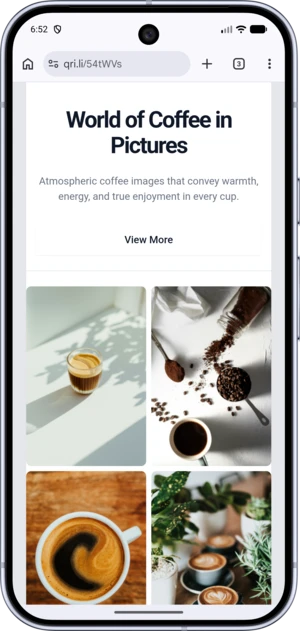
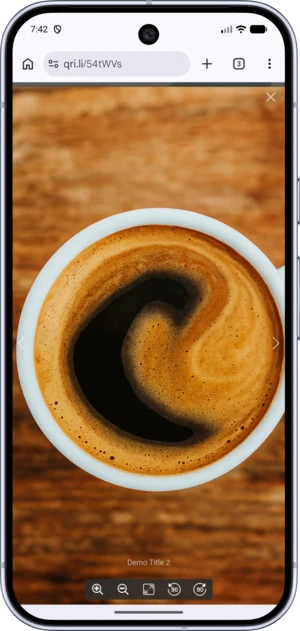
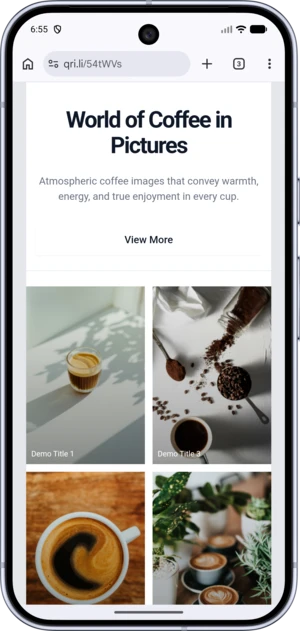
What is an image gallery QR code?
An image gallery QR code is a QR code that opens a page with multiple photos after it is scanned. It works well when a single frame cannot explain enough: product angles, property interiors and exteriors, project stages, work samples, venue atmosphere, or a photo recap from an event.
In practice, it is a simple way to connect offline materials with digital content. You place one QR code on packaging, a brochure, a storefront, a banner, a menu, a business card, or a presentation, while the full visual content lives in a digital gallery. The viewer gets more context, and your design stays clean, readable, and uncluttered.
This format is especially useful for businesses where decisions are strongly visual. If customers need to see details, style, atmosphere, examples, or before-and-after results, a gallery gives them more confidence than one static image.
Why use an Image Gallery QR Code
Show more without overloading the layout
Printed materials have limited space. If you try to fit many photos into a flyer, package, or poster, the design quickly becomes noisy. A QR code solves that problem: the printed piece keeps one compact element, while the scan opens a full visual collection.
One scan instead of several links
There is no need to send images one by one, collect them in a message thread, or make the viewer jump between screens. One scan takes them straight to the complete gallery.
A natural format for mobile viewing
Most people scan QR codes with a smartphone. That makes an image gallery a natural, familiar, and fast way to consume visual content. The viewer opens the photos where it is convenient, without extra steps or explanation.
A stronger presentation for visual products and services
In some fields, one image is not enough to persuade. Real estate listings need rooms and exterior views; restaurants need dishes and atmosphere; designers often need a curated set of projects, not a single sample. A gallery presents the offer with more depth and credibility.
A practical bridge between offline and digital content
A gallery QR code works especially well at moments when interest already exists: next to a product, on an exhibition stand, in a showroom, on a real estate office window, on a menu, in a catalog, on a badge, or inside a printed portfolio. The QR code is not decoration; it gives the viewer a clear next step.
Who can use an image gallery QR code
Real estate
Present an apartment, house, commercial space, or new development with a series of photos: facade, rooms, kitchen, bathroom, yard, view, finishes, and renovation details. One QR code on a banner, flyer, or agency window helps people understand the property before they call.
Photographers, designers, studios, and creators
Instead of showing one example, give a client instant access to a selected body of work. It is useful for business cards, printed portfolios, exhibitions, pitches, and networking. A scan lets people see your style, quality, and range right away.
Online stores and retail
When visual details matter, a gallery can do more than a short description. Show the product from different angles, highlight texture, include what is in the box, demonstrate use cases, add interior photos, or include lifestyle shots. This works well on packaging, price tags, POS materials, shelves, and printed catalogs.
Restaurants, cafes, hotels, and hospitality
Hospitality depends on the impression people get before they arrive. A gallery can show not only one dish, but also the atmosphere, plating, interior, terrace, rooms, lounge areas, or special offers. Place the QR code on a menu, table tent, door, window, brochure, or ad layout.
Events, exhibitions, and conferences
After an event, the QR code can open a photo recap. During the event, it can lead to a visual presentation of a stand, collection, brand, or program. It is useful for exhibitions, festivals, corporate events, product launches, forums, and showrooms.
Beauty, healthcare, renovation, interiors, and services
Service businesses benefit from showing real outcomes. A gallery can include cases, actual results, before-and-after examples, interiors of a salon, studio, or clinic, completed projects, and work details. This builds trust and helps clients understand what to expect.
How an image gallery QR code works
The process is simple. You prepare a set of images, create a QR code, and place it at the right touchpoint, online or offline. The user scans the code with a smartphone camera and opens the gallery page.
For the viewer, the experience feels natural: no manual URL entry, no searching for you in a messenger, no cloud folder, and no unnecessary screens. The transition takes seconds, and the photos appear exactly when interest is highest.
That is especially valuable when timing matters. Someone may be looking at an apartment listing, standing near a storefront, holding product packaging, or browsing a printed catalog. At that moment, the QR code gives them more content with almost no friction.
How to create a QR code for an image gallery
1. Prepare your images
Choose photos that genuinely help people understand your product, service, or case. Fewer strong images are usually better than a large weak set. The gallery should guide the viewer through a clear visual sequence.
2. Plan the image order
Start with the strongest image. The first photo acts like a cover and often determines whether people continue browsing. Follow it with images that add details, context, and options.
3. Create the QR code
Upload the gallery in the generator and create a QR code that leads to it. At this stage, think not only about the gallery itself, but also where the code will be used: print, social media, packaging, or advertising.
4. Customize the design
Make the QR code visually recognizable with suitable colors, element shapes, a frame, and, if needed, a logo. A branded code looks more professional and fits the surrounding design better.
5. Test before publishing
Always test how the QR code scans on different devices and in real conditions: from a screen, from printed material, from different distances, and under different lighting. Good design should look right and scan easily.
Practical tips for a gallery that supports conversion
Do not turn the gallery into a random photo dump. People should quickly understand what they are looking at and why it matters. Every image should support the same goal: explain, persuade, build trust, or help the viewer make a decision.
Put the strongest image first. It creates the first impression and sets the tone for the whole gallery.
Add a simple call to action next to the QR code. Without it, even a good code can look like a decorative element instead of an invitation to scan.
Before printing, check contrast, size, and scan quality. A code that is too small, has weak contrast, or sits inside an overloaded design can ruin the entire interaction.
Frequently Asked Questions
What is an image gallery QR code?
It is a QR code that opens a page with several photos after scanning. It is suitable for products, portfolios, real estate, menus, case studies, and event photo reports.
How is it different from a QR code for one image?
A QR code for one image leads to a single file or picture. An image gallery QR code opens a series of images, making it better for a fuller presentation.
Who is this type of QR code for?
It is useful for anyone who sells or communicates through visuals: real estate, design, photography, retail, hospitality, events, beauty, interiors, services, and personal brands.
Can I use this QR code in printed materials?
Yes. It is one of the most practical print formats when you need to show more content than the layout can hold: brochures, flyers, packaging, menus, stands, windows, catalogs, and banners.
Can the QR code match my brand style?
Yes. Branded QR codes look more professional, fit the design better, and attract more attention as long as they remain easy to scan.
How many photos should I add to the gallery?
The ideal number depends on the goal, but it is important not to overwhelm the viewer. A concise, strong, well-ordered gallery is better than a large random collection.
Can I change the content after printing?
If you use a dynamic QR code, the content can be updated without reprinting the materials. This is useful for campaigns that change over time.
Conclusion
When one frame cannot show enough, an image gallery QR code becomes a simple and effective solution. It helps present visual content clearly, shortens the path to viewing, improves the user experience, and adds more value to both printed and digital materials.
Instead of a dozen links, attachments, and extra explanations, one scan gives people a clear visual result.
📘 Useful articles from our blog
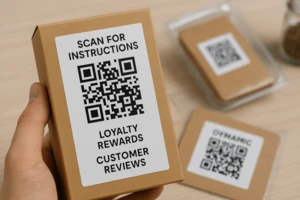
Enabling post-sales communication via QR: instructions, feedback, contests, customer support.
Risks associated with QR codes, how to recognize phishing, and which security measures to implement in your business.
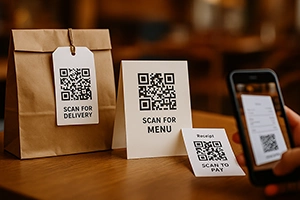
Menus, reservations, feedback, and payments — how to integrate QR in HoReCa and improve service.