

Learn more
PDF QR Code Generator
Create a QR code for a PDF document so people can open or download it from a smartphone in seconds. It is a practical format for menus, manuals, price lists, catalogs, presentations, and other files that need to be easy to reach without typing or searching for a link.
After scanning the QR code, the user goes straight to the PDF file. This works well on printed materials, screens, packaging, displays, flyers, product labels, and storefronts.
What is a QR code for a PDF?
A PDF QR code is a scannable code that points to a document in PDF format. Once scanned, the file can be viewed, downloaded to a phone, or opened in a browser, depending on the device settings.
It is useful when a document needs to be shared quickly without sending attachments in messengers, printing long URLs, or asking people to search for the file manually. A single QR code can open a user guide, a digital menu, a sales proposal, a product catalog, or any other PDF document.
When to use a PDF QR code
This format is useful whenever a document should be opened quickly on a smartphone. Instead of sending a separate file or printing a large amount of information, you can place one QR code where people are most likely to need it.
- Cafe and restaurant menus - a PDF menu can be opened from a table, window, or counter display.
- Product instructions - a QR code on packaging can lead to documentation or a user manual.
- Price lists and sales proposals - useful for retail locations, trade shows, and presentations.
- Product catalogs - give access to a full PDF catalog without printing brochures.
- Presentations and event materials - a code on a stand or slide can open the related file.
- Training documents - schedules, handouts, course programs, and reference files.
Why create a QR code for a PDF?
Instant access to the document
A PDF QR code removes the extra steps between the user and the file. Instead of opening a browser, typing a website address, or looking through attachments, a person scans the code and goes directly to the PDF.
This matters in places where decisions happen quickly: near a display, at a trade show, during a meeting, in a restaurant, on product packaging, or on printed advertising.
Better experience for mobile users
Most people open information from a smartphone. A QR code for a PDF moves the document to a mobile device immediately, so it can be viewed when it is convenient. For the user, the flow is familiar: scan the code, open the file, and keep going.
Simple sharing in offline materials
One QR code can be placed on a flyer, business card, leaflet, package, menu, stand, banner, poster, ad layout, or point-of-sale material. It makes printed media more useful because it connects a short message with the complete document.
Fast content updates
If the page supports dynamic QR codes, you can replace the PDF without reprinting the code itself. This is important for documents that change regularly, such as menus, price lists, catalogs, event programs, instructions, company policies, presentations, and internal materials.
Analytics and interaction tracking
A QR code for a PDF can be more than a way to share a file. If the solution supports statistics, a business can see scan volume, interest in specific materials, and performance across different placements. This helps evaluate printed ads, events, packaging, and sales materials more clearly.
How a PDF QR code works
The process is straightforward: add a PDF document, generate a QR code, and let users scan it to open the file. It reduces the number of steps and makes document access easier, especially on mobile devices.
- Upload a PDF file or add a link to the document.
- Generate a QR code for that file.
- Save the code and place it where people will scan it.
- After scanning, the document opens or becomes available for download.
What to check before creating a PDF QR code
For a smooth experience, the PDF should be comfortable to view on a phone. If the file is too large, it may take too long to open over mobile data.
It is also worth checking whether the QR code scans reliably. Use enough size, strong contrast, and a design that does not interfere with recognition. If you add a logo or change colors, test the code before printing it.
- Optimize the PDF file size.
- Make sure the document is readable on a phone.
- Test the file on different devices.
- Use a QR code size that is suitable for print.
- Add a clear label next to the code, such as "PDF catalog" or "User manual".
Practical ways to use a PDF QR code
In a restaurant, a QR code can open a PDF menu or wine list. In retail, it can lead to instructions, a technical sheet, or a product catalog. In B2B sales, it can share a proposal, price list, or presentation that a client can review right after a meeting.
At events and in education, this format works for programs, schedules, speaker materials, abstracts, certificates, and study guides. Service teams can add a code to equipment, packaging, or supporting materials so customers can open a PDF instruction file without calling for details. It is a simple way to reduce support load and make access to documents predictable.
Frequently Asked Questions
Can I change the PDF after creating the QR code?
Yes, if you use a dynamic QR code. In that case, you can update the document without replacing the printed code.
Will the PDF open on a phone without extra apps?
In most cases, yes. Modern smartphones can open PDF files in a browser or in the default file viewer.
What types of documents work well with a PDF QR code?
Menus, instructions, catalogs, price lists, sales proposals, presentations, certificates, schedules, and other files that people need to open or download quickly.
What is better: a QR code for a PDF or for a web page?
If you need to give direct access to one document, a PDF QR code is a good fit. If you need extra context, several files, or a form, it is usually better to send users to a dedicated web page.
Why can a PDF open slowly?
The most common reasons are a large file size, heavy images inside the document, or a slow mobile internet connection.
Summary
A QR code that links to a PDF is a simple way to make documents accessible in places where typing or copying links is inconvenient. It works well for menus, presentations, catalogs, price lists, instructions, and training materials, and it fits naturally into print, packaging, and offline advertising.
In practice, it shortens the path to the document, simplifies communication, and helps organize access to files. If the page supports a dynamic setup, it can also help with updates, access control, and scan analytics.
Need to share a document quickly? Upload the PDF, create a QR code, test it on a smartphone, and use it wherever the document should open without extra steps.
📘 Useful articles from our blog

How QR codes are integrated into daily company operations: delivery, advertising, CRM. What is a dynamic code and how to avoid common mistakes.
Risks associated with QR codes, how to recognize phishing, and which security measures to implement in your business.
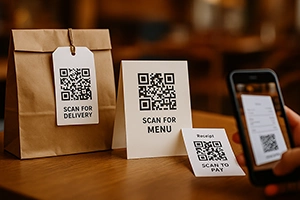
Menus, reservations, feedback, and payments — how to integrate QR in HoReCa and improve service.